
How to Compress Image to 10KB, 20KB, 50KB or 100KB Online (Free & Instant)
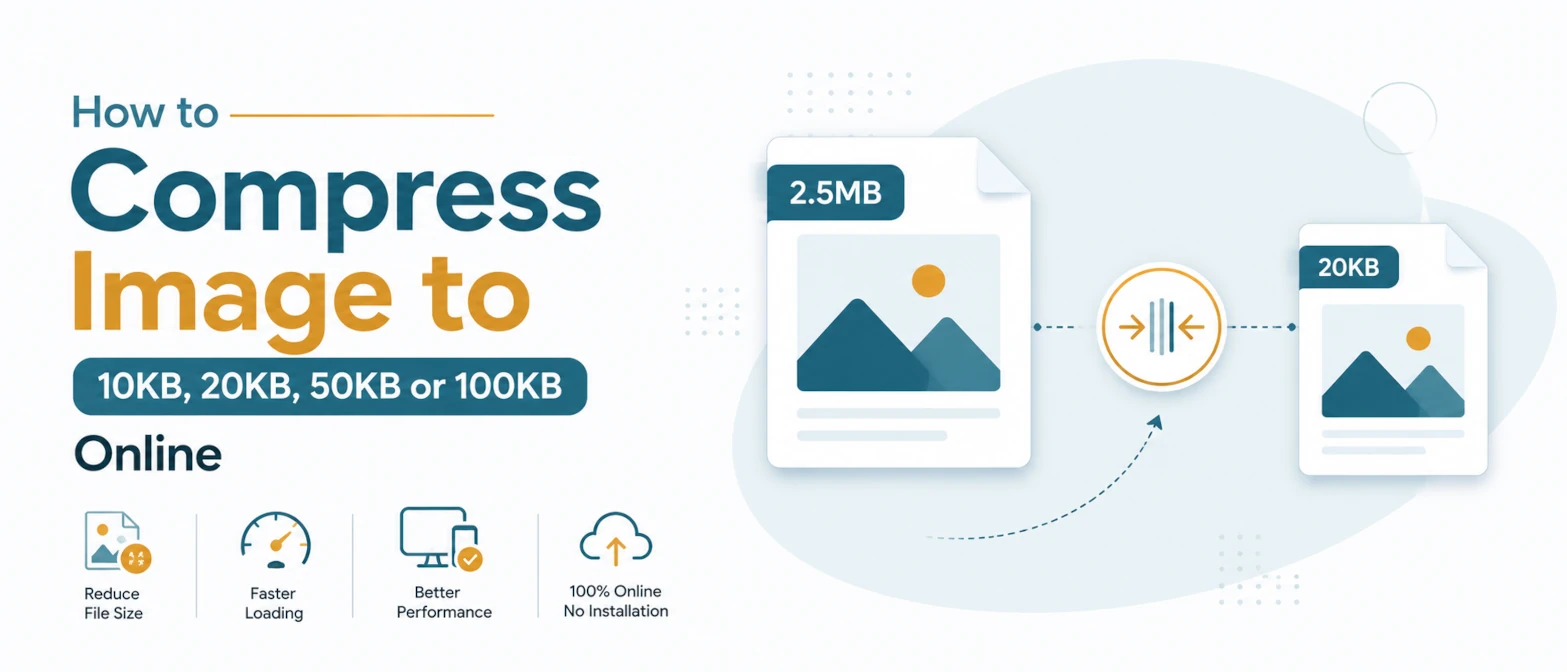
Many government forms, exam portals, job applications and document upload systems accept images only when they stay below a fixed file-size limit. Common limits include 10KB, 20KB, 50KB, 100KB and 200KB.
Reaching one of these limits can be frustrating because an ordinary quality slider does not tell you what the final file size will be. You may need to repeat the same process several times, and aggressive compression can make a photo, signature or scanned document difficult to read.
This guide explains how to compress JPG, PNG and WebP images to a selected KB limit with TryFormatter's Compress Image to KB tool. You will also learn which output format to choose, how to protect important details and what to do when an image cannot reach a very small target without visible quality loss.
Quick answer: Open the Compress Image to KB tool, add your image, select 20KB, 50KB, 100KB, 200KB or enter a custom target, choose an output format and start compression. Review the final size and preview before downloading the result.
What Does Compressing an Image to a Target KB Mean?
Compressing an image to a target KB means reducing its file size until it fits below a selected limit. The tool may adjust image quality, encoding settings and, when needed, pixel dimensions to produce a smaller file.
For example, a portal that accepts images up to 50KB does not require the file to be exactly 50KB. A final image of 47KB or 49KB should normally meet the limit, while a 51KB image may be rejected.
Important: A smaller target gives the compressor less data to preserve. A clear 500KB photograph can often be reduced to 100KB with a reasonable result, but compressing the same photo to 10KB may require lower quality or smaller dimensions.
Common Image Size Limits
File-size requirements vary between websites and may change over time. Always check the current instructions on the portal where you plan to upload the image.
How to Compress an Image to 10KB, 20KB, 50KB or 100KB
Follow these steps to reduce an image to a selected file-size limit.
-
Open the Compress Image to KB tool
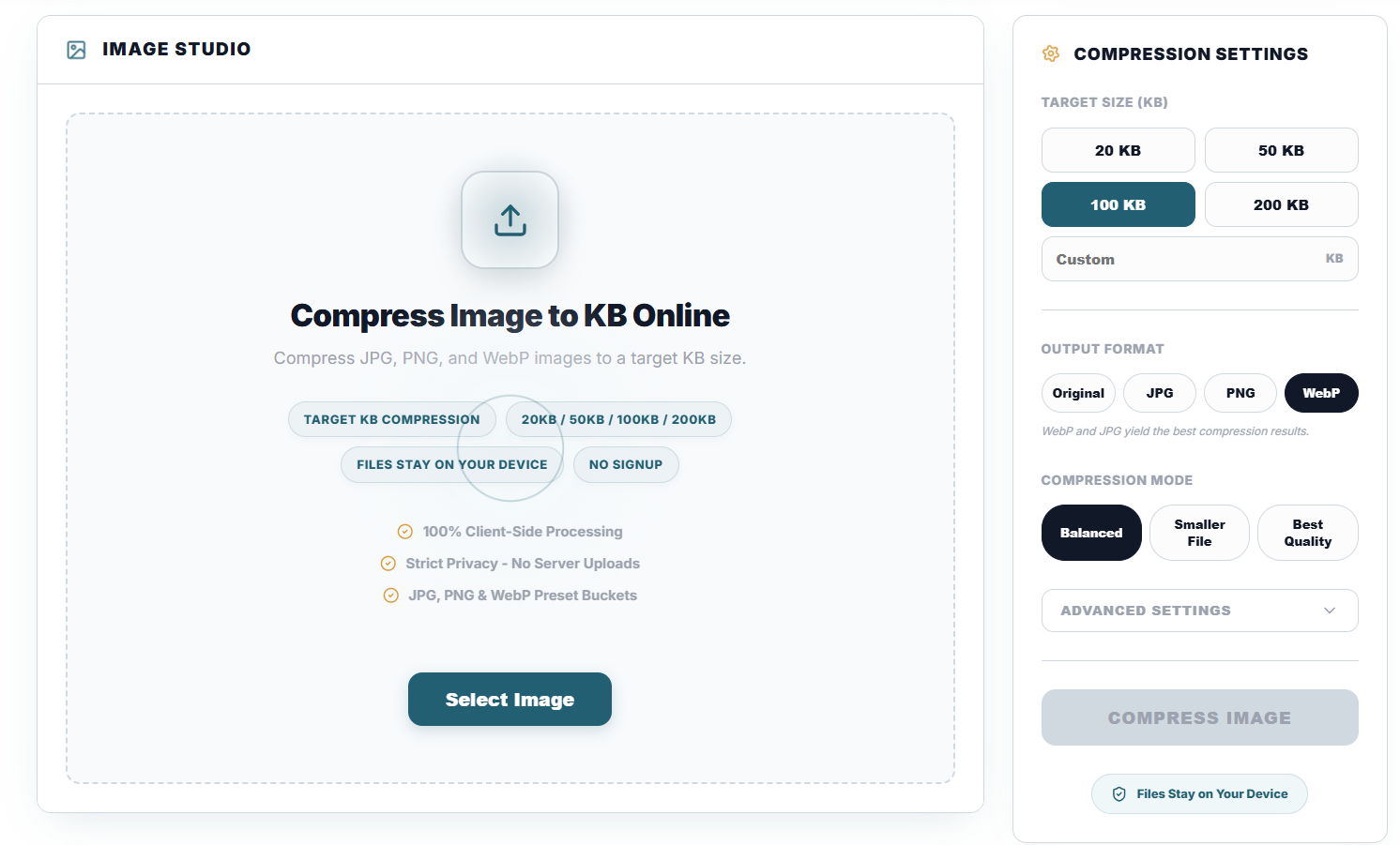
Visit the TryFormatter Compress Image to KB tool. Use the file selector or drag and drop an image into the upload area. Supported input formats include JPG, PNG and WebP.
-
Select the target file size
Choose a preset such as 20KB, 50KB, 100KB or 200KB. For another limit, enter the required number in the custom KB field. Before continuing, confirm whether the destination website uses a maximum size such as “up to 100KB” or a required range such as “20KB to 50KB.”
-
Choose the output format and compression mode
Select the output format and processing mode that fit your image:
- Original: Keeps the current format where supported.
- JPG: Usually works well for photographs and portal uploads that require JPEG.
- PNG: Better for transparent signatures, logos and line graphics.
- WebP: Can create smaller web-friendly files, but some application portals accept only JPG or PNG.
Balanced mode is a practical starting point. Smaller File applies stronger compression, while Best Quality tries to preserve more visible detail within the selected limit.
-
Compress and review the result
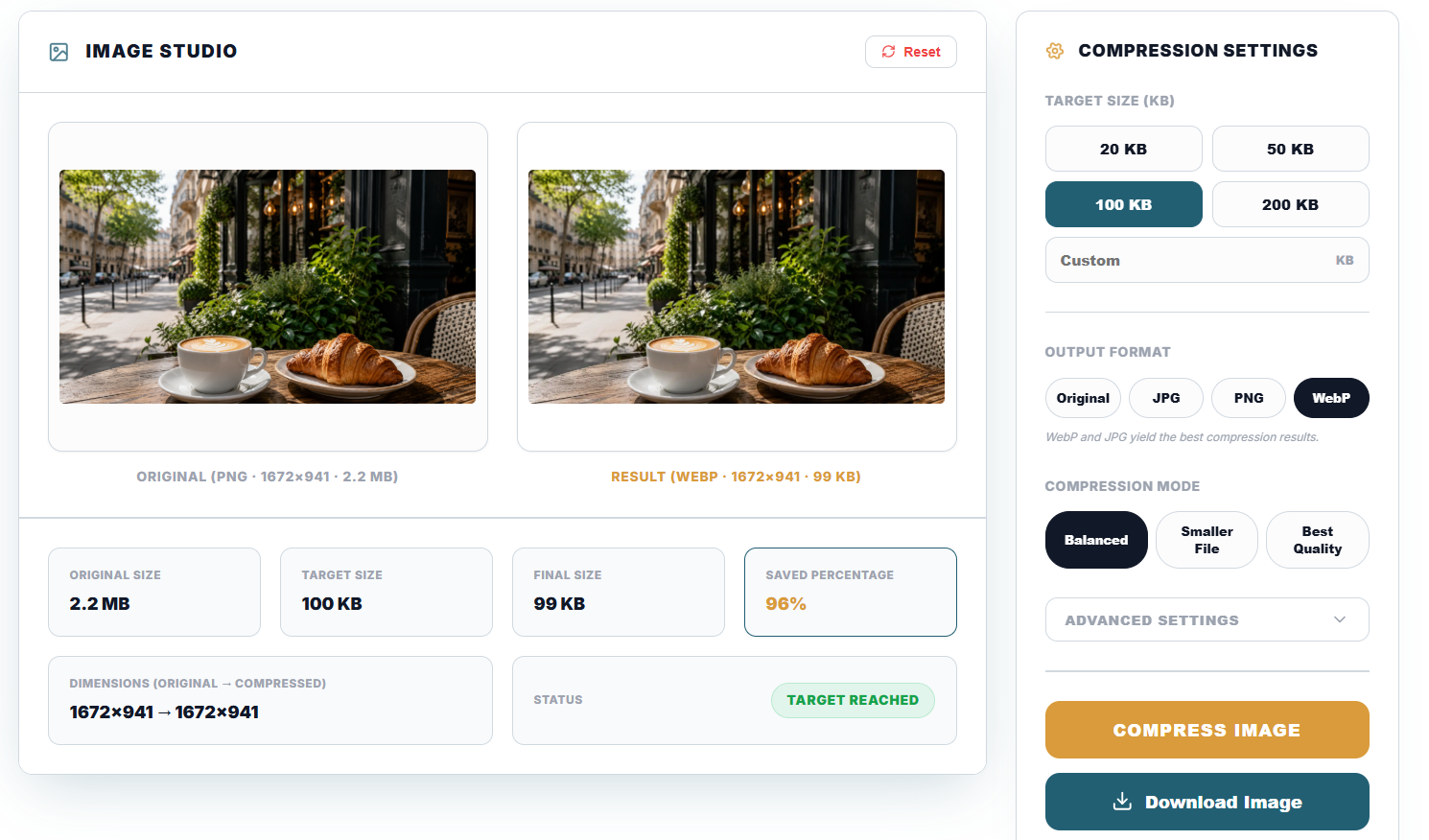
Start the compression process. When it finishes, compare the original and output previews and review the original size, final size, saved percentage and target status.
-
Download the image
Download the result only after checking that the final size is below the required limit and important details remain clear. For photos, inspect the face and background edges. For signatures and documents, zoom in and confirm that lines and text are readable.
Which Format Should You Choose?
The best format depends on the type of image and the formats accepted by the destination website.
| Format | Best suited for | Compression behaviour | Important limitation |
|---|---|---|---|
| JPG | Photos, profile pictures and passport-style images | Usually produces smaller files by reducing photographic detail | Does not support transparency |
| PNG | Signatures, logos, screenshots and graphics with transparency | Preserves sharp edges but may remain larger than JPG | Very small targets can be difficult for detailed PNG images |
| WebP | Web images and portals that explicitly accept WebP | Can provide good visual quality at a smaller size | Some government and exam portals do not accept WebP |
Safe choice for forms: Use JPG for photographs when the portal accepts JPEG or JPG. Use PNG for transparent signatures when PNG is allowed. Do not convert to WebP unless the destination website lists WebP as a supported format.
Recommended Approach for Common Target Sizes
| Target limit | Suitable image type | Suggested format | Quality tip |
|---|---|---|---|
| 10KB–20KB | Small signatures and simple line images | JPG or PNG, depending on portal rules | Crop empty margins before compression so useful pixels receive more of the file-size budget. |
| 50KB | Application photos and signatures | JPG for photos; PNG for transparent signatures | Use a clean background and remove unused space around the subject. |
| 100KB | Profile photos and identity images | JPG in most cases | Start with Balanced mode and inspect facial features before downloading. |
| 200KB | Certificates, scanned pages and larger photographs | JPG, PNG or the required original format | Use the available file-size allowance to preserve text and fine details. |
Why an Image May Not Reach the Target Size
Some files are difficult to compress below a very small limit without changing their dimensions or reducing visible quality.
The image dimensions are too large
A 6000 × 4000 photograph contains far more pixels than a portal-sized profile image. Resizing it before compression can produce a cleaner and smaller result.
The image contains complex detail
Hair, leaves, fabric, noise and textured backgrounds require more data than simple backgrounds and flat graphics.
PNG is preserving too much information
A detailed photo saved as PNG can remain large. Converting it to JPG may be more suitable when transparency is not required.
The target is extremely small
A 10KB limit gives the tool very little room to preserve detail. Crop, resize and use a simple background before applying stronger compression.
How to Preserve Better Quality
Crop before compressing
Remove unnecessary margins and background areas so more of the final file is used for the important part of the image.
Resize to the required dimensions
Do not upload a very large image when the portal displays it at a small size. Match the required width and height first.
Start with a clear source
A well-lit, focused image with a plain background normally compresses more cleanly than a dark or noisy photograph.
Avoid repeated JPG saves
Repeatedly opening and saving a JPG can introduce additional compression damage. Start from the best original available.
Browser-Based Processing and Privacy
TryFormatter's image tools are designed to process supported files in your browser. This avoids the standard upload-and-wait workflow used by many server-based compression services.
Processing speed and maximum supported dimensions depend on the device, available memory, browser and selected target size. Very large images may work more reliably on a desktop computer than on a low-memory mobile device.
Privacy note: Image content and generated output should not be included in analytics. Analytics should record only general tool events, such as whether a compression process completed, without collecting the uploaded file itself.
Common Mistakes to Avoid
Ignoring the required format
A file may be below the correct KB limit and still be rejected because the website accepts only JPG or PNG.
Compressing before cropping
Empty margins consume pixels and reduce the quality available for the main subject.
Checking only the preview
Always confirm the final file size and dimensions. A preview may look correct even when the output does not meet the portal requirement.
Using an outdated requirement
Exam and application rules can change. Verify the latest instructions on the official portal before preparing the file.
Frequently Asked Questions
Upload the image to the Compress Image to KB tool, choose the 50KB preset and start compression. Review the final size before downloading. If the result remains too large, crop unnecessary areas, reduce the dimensions or use JPG for a photograph.
Image compression usually targets a maximum limit rather than one exact byte value. A result slightly below 20KB should normally meet a portal's “maximum 20KB” rule. Check whether the website requires an exact range or only an upper limit.
Some visible quality loss is likely when a detailed image is reduced to 10KB. Cropping empty space, reducing dimensions and choosing a suitable format can help preserve important details.
JPG and WebP often create smaller photographic files than PNG. PNG is usually more suitable for transparent signatures and line graphics. The destination website's format rules should decide which option you use.
Yes, keep PNG as the output format when transparency is required. However, very small KB targets may be harder to reach with PNG than with JPG.
The source may have large dimensions, complex detail or a format that does not compress efficiently for that image. Resize the image, crop unused areas or choose another supported output format.
The tool is designed to process supported images in the browser. You should still verify the current privacy information and browser behaviour before processing highly sensitive documents.
Related Image and Exam Tools
Use these tools when you need to resize dimensions, prepare a signature, process several files or meet a specific upload requirement:
Ready to reduce an image? Open the Compress Image to KB tool, select the required file-size limit and review the result before uploading it to the destination website.