161+ free tools·No signup·Files stay on your device

TryFormatter: Free Online Tools for Images, PDF, SEO & Code

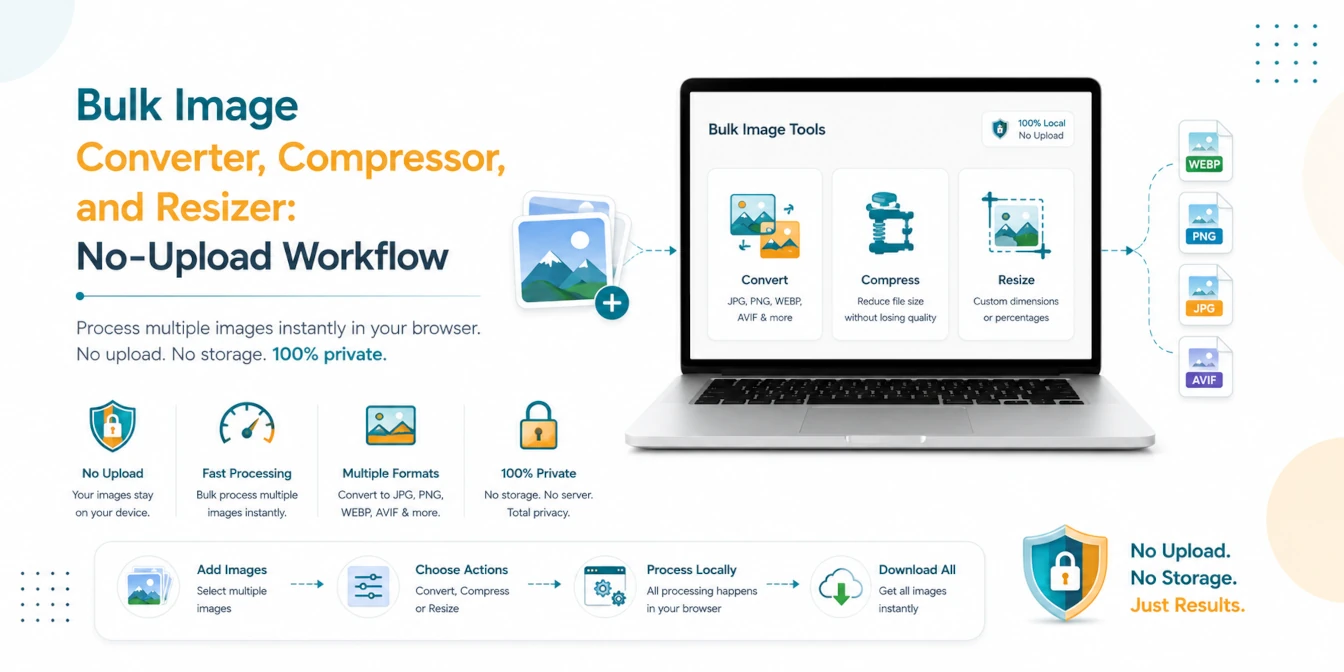
Format code, compress images, edit PDFs, run SEO checks, and convert files with 161+ browser-based tools. Free, fast, and private — no upload required.

161+ Tools 9 Categories No File Upload Zero Signup

Three Steps to Get Results

Every tool follows the same simple workflow. No learning curve, no account needed.

01

Find Your Tool

Search or browse categories to find the right utility for your task. We have 140+ tools across 9 categories.

Browse All Tools
02

Paste, Upload, or Type

Input your data directly in the browser. No file upload to external servers. Everything runs locally on your device.

Try JSON Formatter
03

Download or Copy

Get instant results. Copy formatted text to clipboard or download processed files in one click.

Try Image Compressor

Complete Workflow Cards

Follow these interconnected tool paths to complete multi-step tasks entirely in your browser.

Image Workflow

Optimize and prepare photos for forms or websites in one sequence.

SEO Workflow

Check technical SEO, fix metadata, and build schema in minutes.

PDF Workflow

Assemble, shrink, protect, and partition PDF documents safely.

Click-Ready Popular Tools

Clear tools for tasks people usually need to finish right away.

Image tool

JPG to PNG Converter

Turn JPG photos into PNG files for editing, sharing, or design work.

Open Tool
Text utility

Base64 Encoder / Decoder

Encode text or decode Base64 strings without leaving the page.

Open Tool
Speed boost

Image to WebP Converter

Create smaller WebP images for faster pages and lighter downloads.

Open Tool
Image tool

HEIC to JPG Converter

Convert iPhone HEIC photos to JPG in your browser with no upload.

Open Tool
Code cleanup

SQL Formatter

Clean long SQL queries so they are easier to scan and review.

Open Tool
Security

Password Generator

Create strong random passwords for safer signups and resets.

Open Tool
Converter

QR Code Generator

Generate QR codes for links, text, Wi-Fi, and contact details instantly.

Open Tool
PDF tool

PDF to Image

Convert PDF pages into JPG or PNG images for sharing and editing.

Open Tool
New

Video to GIF Converter

Turn MP4, WEBM, or MOV clips into animated GIFs fully in your browser.

Open Tool
New

GIF Viewer

Play, pause, and inspect animated GIF files with live metadata display.

Open Tool
Code beauty

HTML Formatter

Beautify nested HTML code with proper indentation and cleaner structure.

Open Tool
Style tool

CSS Formatter

Beautify CSS stylesheets and organize rules for better readability.

Open Tool
Developer

JavaScript Formatter

Clean and format JS/ES6 code snippets instantly in your browser.

Open Tool
Config tool

XML Formatter

Format configuration files, SOAP messages, and SVG XML code easily.

Open Tool
React utility

HTML to JSX Converter

Convert HTML templates or SVG markup into React JSX/TSX elements.

Open Tool
Data converter

CSV to JSON Converter

Convert CSV spreadsheets into structured JSON arrays instantly.

Open Tool
Data tool

JSON to XML Converter

Convert JSON data into structured XML files format online.

Open Tool
Data tool

JSON to CSV Converter

Convert and flatten JSON data into CSV spreadsheet format.

Open Tool
Web utility

URL Encoder / Decoder

Encode or decode URL parameters and query strings safely.

Open Tool
SEO tool

Robots.txt Generator

Create search engine crawler directive files for your website.

Open Tool

Not sure which tool to use?

Browse by category to compare related tools, or read our step-by-step guides for practical help with common tasks.

Image and form uploads

Resize, compress, and prepare images for portals.

Developer cleanup

Format, validate, convert, and inspect code safely.

Website and SEO tasks

Create metadata, sitemaps, and page checks faster.

Why People Use TryFormatter

Fast Results

Most tasks finish in seconds so you can move on quickly.

Private on Your Device

Core tools run in your browser, so your files stay with you.

No Setup Needed

No install and no account needed for regular daily use.

All Tools in One Place

Use image, PDF, formatter, converter, and utility tools in one site.

Built for Privacy, Speed, and Simplicity

Every tool is designed to respect your data and get results fast.

161
Browser Tools
9
Categories
100%
Private
No Upload
Zero Server Storage

No Account Required

Use any tool instantly without creating an account, entering an email, or installing software. Open the page and start working.

100% Browser Based Processing

Core tools process data entirely inside your browser using JavaScript. Your files and text never leave your device.

Works on Any Device

Fully responsive design that works on desktop, tablet, and mobile browsers. No app downloads needed.

Get Practical Tips and Tool Updates

Our guides cover step-by-step workflows, best practices for image compression, code formatting, PDF handling, and more. Written by the TryFormatter team.

Latest Guides

Helpful articles with clear steps, examples, and practical tips.

JSON-LD Schema Guide for AI Search and Google Rich Results (2026 Edition)New
SEOJune 30, 202612 min read

JSON-LD Schema Guide for AI Search and Google Rich Results (2026 Edition)

An expert guide to using JSON-LD schema markup to establish topical authority, optimize for Perplexity, ChatGPT, and Gemini, and earn Google Rich Snippets in 2026.

Read guide
Machine-Readable Websites: The New SEO Checklist (2026 Guide)New
AI SEOJune 27, 20269 min read

Machine-Readable Websites: The New SEO Checklist (2026 Guide)

Learn how to build a machine-readable website for AI search and modern SEO. Discover structured data, semantic HTML, metadata, sitemaps, APIs, and a practical implementation checklist.

Read guide
How to Make Your Website AI-Citable in 2026New
SEOJune 26, 202612 min read

How to Make Your Website AI-Citable in 2026

Optimize your website for ChatGPT, Google AI Overviews, Gemini, Claude, and Perplexity in 2026. A practical technical SEO guide with structured data, semantic HTML, and metadata checklists.

Read guide
Mastering MCP (Model Context Protocol) in 2026: Build Your Own Local AI Agent Tools
AIJune 24, 202615 min read

Mastering MCP (Model Context Protocol) in 2026: Build Your Own Local AI Agent Tools

Learn how to build, secure, and deploy custom Model Context Protocol (MCP) servers to extend AI agents like Cursor and Claude desktop with local capabilities in 2026.

Read guide
Why Most Websites Are Invisible to AI Search And How to Fix It in 2026
SEOJune 18, 202615 min read

Why Most Websites Are Invisible to AI Search And How to Fix It in 2026

Learn why ChatGPT, Gemini, Claude, and Perplexity may ignore your website. Discover the technical, SEO, and metadata fixes that improve AI search visibility in 2026.

Read guide
Why Every Website Needs an AI-Readable Metadata Layer in 2026
SEOJune 16, 20268 min read

Why Every Website Needs an AI-Readable Metadata Layer in 2026

To succeed in the era of AI Search, ChatGPT, and Gemini, your website needs an AI-readable metadata layer. Learn how to use llms.txt, JSON-LD, and semantic HTML.

Read guide
NVIDIA RTX Spark Explained: The Biggest Change to Windows AI PCs Since Apple Silicon
AIJune 3, 202612 min read

NVIDIA RTX Spark Explained: The Biggest Change to Windows AI PCs Since Apple Silicon

NVIDIA RTX Spark brings Blackwell RTX graphics, Arm CPU cores, unified memory, CUDA, and local AI agents to Windows PCs. Here is why it feels like an Apple Silicon moment for Windows.

Read guide
WhatsApp vs Instagram vs Facebook: New Features Compared (2026 Edition)
Social MediaJune 2, 20269 min read

WhatsApp vs Instagram vs Facebook: New Features Compared (2026 Edition)

Compare the newest WhatsApp, Instagram, and Facebook features in 2026, including Plus plan prices, private AI chats, Instagram sharing updates, and Facebook Marketplace AI tools.

Read guide
SSC CGL 2026 Notification Out: Apply Online, Age Limit, Salary, Eligibility, Photo & Signature Size
Exam ToolsJune 1, 202610 min read

SSC CGL 2026 Notification Out: Apply Online, Age Limit, Salary, Eligibility, Photo & Signature Size

SSC CGL 2026 official notification details with apply online links, approx. 12,256 vacancies, age limit, salary, eligibility, live photo, signature size, and related tools.

Read guide

Frequently Asked Questions

Quick answers about privacy, usage, and how TryFormatter works.

What is TryFormatter?

TryFormatter is a free browser-native toolkit for formatting code, converting files, compressing images, editing PDFs, and running SEO checks directly in your browser.

Is TryFormatter safe to use?

Yes. Most TryFormatter tools run entirely inside your browser, so your text, code, images, and documents stay on your device instead of being uploaded to a remote server.

Does TryFormatter upload my files?

No. Core tools such as formatters, image tools, PDF utilities, and converters are designed to process files locally in your browser whenever possible.

Is TryFormatter free?

Yes. TryFormatter provides free online tools with no sign-up required for standard usage.

Which tools are available on TryFormatter?

TryFormatter includes code formatters, JSON tools, image compressors, image resizers, PDF tools, SEO tools, converters, validators, and browser-based productivity utilities.

Does TryFormatter work offline?

Some tools may continue working after the page has loaded because processing is browser-based. Initial page loading, updates, and external resources still require an internet connection.

Is data stored when I use TryFormatter?

TryFormatter does not require account-based file storage for core formatting, conversion, image, PDF, and SEO workflows. Generated output remains under your control.

Who is TryFormatter for?

TryFormatter is useful for developers, students, creators, SEO professionals, job applicants, and anyone who needs fast online tools without installing software.

About TryFormatter: Built for Productivity, Privacy, and Speed

TryFormatter is a premium collection of web-native utilities designed for modern developers, designers, and digital professionals. Our platform eliminates the typical friction associated with daily data, code, file, and image manipulation. We believe that professional tools should be instantly accessible, robust, and completely secure.

1. Built for Developer Productivity

Efficiency is at the core of TryFormatter. With a growing library of over 149 specialized tools, you can format, convert, minify, parse, compress, and edit with a single click. There are no registration forms, installation steps, or usage caps. Every utility features an optimized, distraction-free workspace designed to streamline your daily workflow.

2. Strict, Browser-Native Privacy

Your data security is our highest priority. Unlike other online utilities that process data on remote servers, TryFormatter is architected on a privacy-first, client-side model. The vast majority of our converters, formatters, and code parsers execute entirely within your local browser sandbox. This ensures that sensitive database queries, corporate source code, images, and documents never leave your device and are never stored or logged on any external server.

3. Optimized for Lightning Speed

Time is valuable. TryFormatter is built on a highly optimized, modern React stack designed to render instantly and execute operations in real-time. By leveraging browser-level compilation, file compression, and data conversion, we eliminate server latency entirely. Upload, convert, and download files at hardware-bound speeds with no queues, delays, or premium paywalls.

Primary Tool Categories

Explore our main categories designed to boost your productivity:

  • Converters (49+ tools): Transform data structures and files seamlessly (e.g., CSV, JSON, XML, SQL, YAML) with full parsing validation.
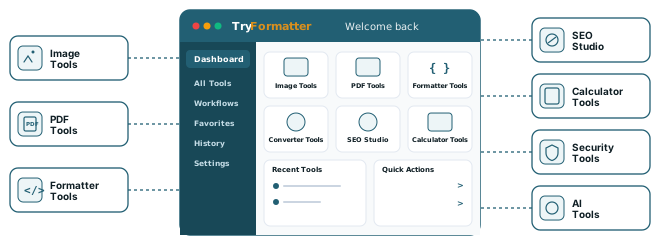
  • Image Studio (43+ tools): Resize, compress, crop, and convert image formats locally to optimize web page speed and file size.
  • Formatters (17+ tools): Beautify, validate, and indent code (JSON, SQL, HTML, CSS, JavaScript) for enhanced readability.
  • PDF Suite (14+ tools): Merge, split, compress, watermark, and organize PDF documents directly inside your browser.
  • Security & SEO Tools (20+ tools): Standard text encoding/decoding, checksum calculation, and technical SEO optimization utilities.
  • Exam Portal Tools (6+ tools): Instantly resize and format official photos and signatures to match CTET, UPSC, SSC, and state-level portal rules.

How to Use TryFormatter

  1. Select your tool: Locate your utility using the global search bar or navigate through our categorized dashboard.
  2. Input code or files: Paste raw text or drag-and-drop files directly into the interactive workspace.
  3. Process in one click: Execute the operation instantly with smart error highlights and live preview.
  4. Export locally: Copy the formatted results to your clipboard or download the output file directly.

Compliance and Site Policies

For detailed questions regarding data processing, usage terms, or contacting our development team, please consult our Privacy Policy, Terms of Service, and Contact pages in the site navigation.

Ready to start your first task?

Join thousands of users who save time every day using TryFormatter. No sign-up required.