Photo and Signature Joiner for Government Exams
Combine your passport size photo and signature into a single JPG file online. Merge them vertically for UPSC, UPPSC, or other government exams in seconds with no server uploads. All processing happens locally in your browser.
Combine Photo & Signature
1. Photograph
2. Signature
What is the Combine Photo and Signature Tool?
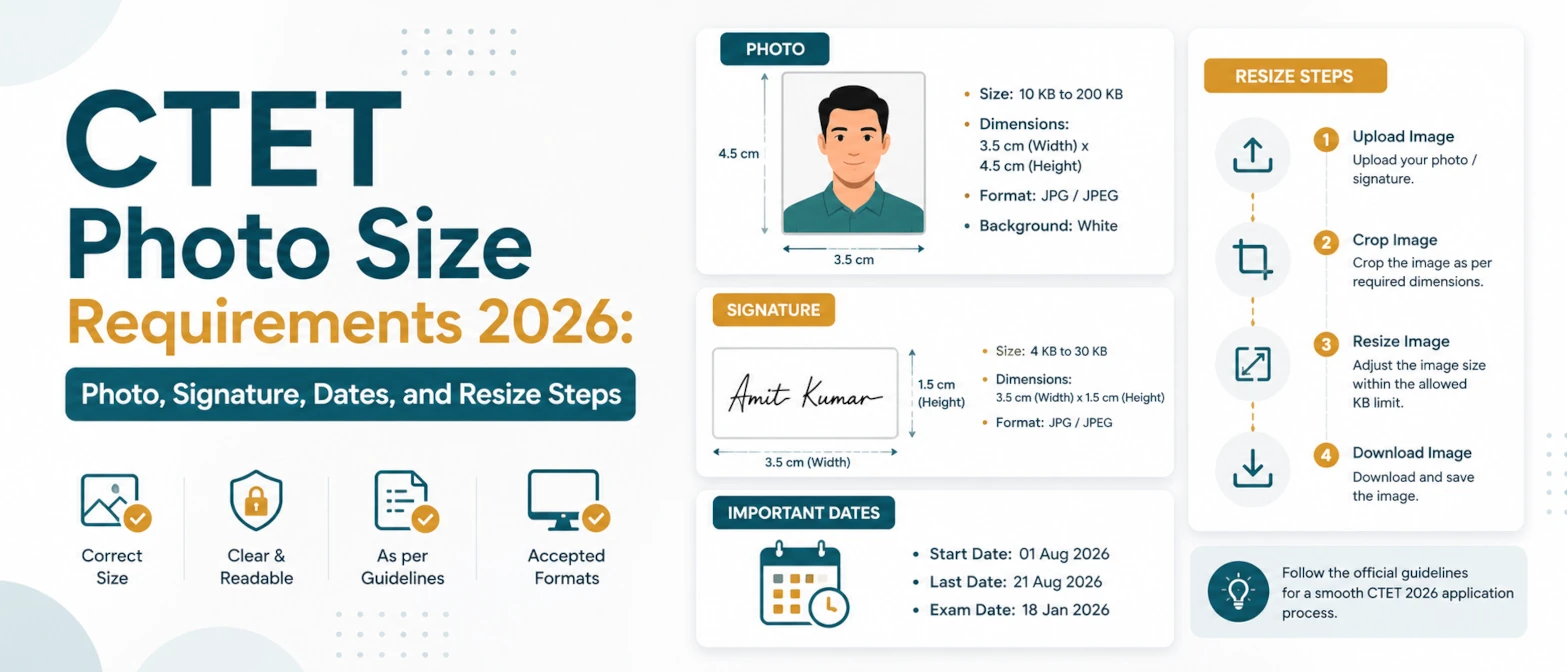
The Combine Photo and Signature Tool is a specialized utility designed for candidates applying for competitive examinations and recruitment portals. Several government bodies, including the Union Public Service Commission (UPSC) and the Uttar Pradesh Public Service Commission (UPPSC OTR), require candidates to upload a single, combined image file that contains both their passport-size photograph and their scanned signature. This combined file must follow strict height-to-width ratios, layout rules, and file size limits (usually under 50KB or 80KB in JPG format).
Our online photo and signature joiner runs entirely in your browser. This zero-upload architecture guarantees that your sensitive identity documents—your face and your signature—never touch a remote server, keeping your personal details 100% private. Simply upload your portrait, upload your signature, select your target exam preset or custom dimensions, and download the combined, compressed JPG file instantly.
Official Exam Specifications for Combined Uploads
Different recruitment boards specify different layouts for the combined upload. The table below lists the most common official requirements and presets available in this tool:
| Exam Body / Portal | Total Size (W x H) | Photo Portion | Signature Portion | File Size Limit |
|---|---|---|---|---|
| UPPSC OTR (Uttar Pradesh) | 3.5 cm x 6.0 cm | Top 4.5 cm (75%) | Bottom 1.5 cm (25%) | Under 50 KB (JPG) |
| UPSC Applications | 3.5 cm x 4.5 cm | Top 3.0 cm (~67%) | Bottom 1.5 cm (~33%) | 20 KB to 300 KB (JPG) |
| Custom Layout | User Defined px / cm | Adjustable Ratio | Adjustable Ratio | Custom KB Target |
Using our tool, you don't need to manually calculate pixel heights or use complex graphic design software. Select the preset for your target exam, and the workspace will automatically configure the correct canvas dimensions and proportion ratios.
How to combine photo and signature into a single file
- Upload your photograph by clicking the Upload Photo button or dragging the file into the photo slot.
- Upload your signature by clicking the Upload Signature button or dragging the file into the signature slot.
- Select your target exam preset from the settings panel (e.g., UPPSC OTR, UPSC, or Custom).
- Use the offset and alignment controls to adjust the position, zoom, and fit of each image so they are centered and clearly visible.
- Set the target file size limit in kilobytes (e.g., 50KB for UPPSC) to let our local compressor optimize the JPG quality.
- Click the Combine & Download button to merge the images and save the output JPG file directly to your device.
Once downloaded, check the file details in your file manager to confirm the KB size and dimensions match the official application guidelines.
Examples of combined layouts
Here are typical workflows for candidates preparing combined files for official portals:
- UPPSC OTR Combine: Choose the UPPSC OTR preset. Upload your passport photo and signature. The tool creates a single file of 3.5cm x 6cm with the signature placed right below the photo, compressed under 50KB.
- UPSC Combine: Choose the UPSC preset. Upload your photo and signature. The tool places them vertically within a 3.5cm x 4.5cm bounding box, ready for the UPSC online application portal.
- Custom Combine: Enter custom dimensions (e.g., 400px width by 600px height) and select a custom split ratio (e.g., 80% photo / 20% signature) to meet any specific recruitment board requirements.
Use cases
This combiner tool is optimized for candidates preparing application forms for:
- Uttar Pradesh Public Service Commission (UPPSC) One-Time Registration (OTR).
- Union Public Service Commission (UPSC) Civil Services and other examinations.
- State Public Service Commissions (SPSCs) requiring combined document uploads.
- Public sector banks, security forces, and recruitment boards using unified portal uploads.
- Any professional document submission requiring a signed photograph layout.
Validation checklist for combined uploads
- Ratio and Alignment: The photograph must be on top and centered. The signature must be at the bottom, fully legible, and not overlapping the photo.
- File Format: The output file must be saved in JPG or JPEG format. PDF or PNG formats are usually rejected by portal validators.
- File Size: Ensure the final file size in KB is strictly within the portal's limits (e.g., more than 10KB but less than 50KB).
- Legibility: The face must be clearly visible, and the signature must be written on a clean white background using a blue or black pen.
Privacy and data handling
At TryFormatter, your privacy is our core architecture. Candidates are often hesitant to upload sensitive files like signatures and photos to online services, and they have every right to be. Third-party servers can leak or store your personal documents. Our tool operates **100% locally in your web browser** using HTML5 Canvas and client-side processing APIs.
When you load this tool, the code runs inside your browser sandbox. None of the images you upload are ever sent to our servers. You can even load this page, disconnect your device from the internet, and combine your photo and signature offline. Your files never leave your device, and nothing is stored in any cloud storage.
Common mistakes to avoid
- Uploading signature in the photo slot: Double check that your photograph is in the top slot and your signature is in the bottom slot.
- Using a busy background for the signature: Sign on a blank white piece of paper. Textures, lines, or shadows in the background make the signature hard to verify.
- Incorrect file size compression: Do not set the target KB too low, or the image will become blurry. Aim for just below the maximum allowed KB (e.g., 45KB for a 50KB limit) to preserve maximum detail.
- Forgetting to check the file extension: Ensure the downloaded file ends in
.jpgor.jpeg. Avoid manual renaming of file extensions as it might corrupt the header.
Frequently Asked Questions
How do I combine my photo and signature for the UPPSC OTR form?
Select the UPPSC OTR preset from the settings panel. Upload your passport photo in the top slot and your scanned signature in the bottom slot. Set the target size to 50KB, then click Combine & Download to get the single merged JPG.
Are my signature and photo uploaded to TryFormatter servers?
No. The entire combination process happens locally in your web browser. Your images never leave your computer or mobile device.
Can I combine photo and signature offline?
Yes. Once the page is loaded, you can turn off your internet connection and the tool will continue to combine and compress your images perfectly.
What is the required size of a combined photo and signature file?
For UPPSC OTR, it is 3.5cm x 6.0cm (under 50KB). For UPSC, it is typically 3.5cm x 4.5cm. Our presets configure these sizes automatically.
Can I adjust the positioning of my photo and signature?
Yes. The tool provides sliders to zoom, shift, and adjust the positioning of both the photo and the signature within their designated sections.