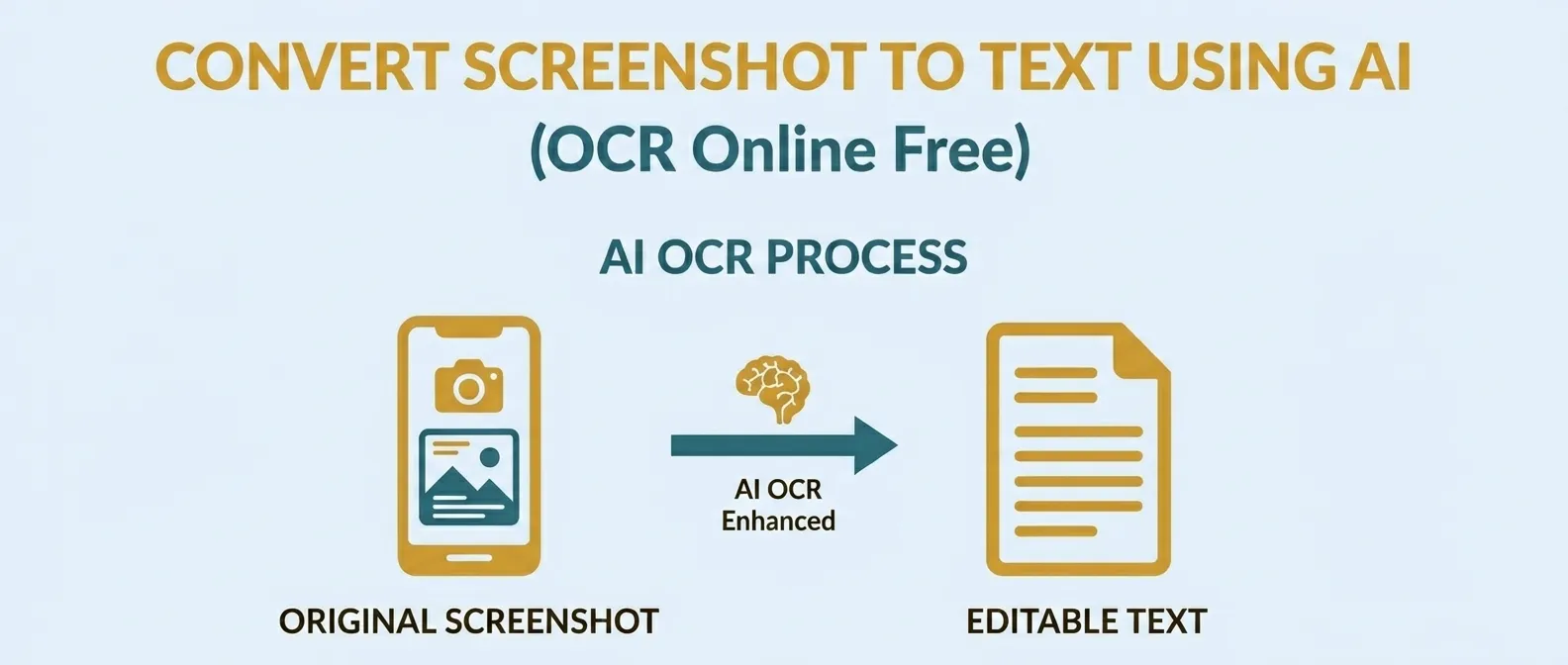
Extract Text from Image Online
Upload a screenshot, photo or scanned page and turn the visible words into editable text. Review the result, copy it or download it as a TXT file. All processing happens locally in your browser.
Choose an Image
Drop a JPG, PNG or WebP image here, paste a screenshot, or choose a file from your device.
What is image-to-text OCR?
Image-to-text OCR reads words from a photo, screenshot, or scanned page. It finds letters and numbers in the image and turns them into text that you can edit, copy, search, or save.
This can save time when the text inside an image cannot be selected. You can use it for screenshots, printed notes, receipts, book pages, notices, and other images with clear text.
The OCR process runs inside your browser. Results depend on the image quality, text style, selected language, and layout.
How to extract text from an image
Follow these steps to read text from an image:
- Choose or paste an image Select Choose Image, drag a JPG, PNG, or WebP file into the upload area, paste a screenshot with Ctrl+V, or use the sample image.
- Select the language Choose English, Hindi, or English + Hindi based on the text shown in the image.
- Choose the output style Use Simple Text for clean paragraphs or Keep Line Breaks when the position of each line is useful.
- Extract the text Select Extract Text and wait while the OCR engine reads the image.
- Review the result Check the recognised text and correct any missing or incorrect words.
- Copy or download Copy the edited text to your clipboard or download it as a TXT file.
Real screenshot-to-text example
This example uses a note containing English and Hindi text. The image was processed with the English + Hindi language option.
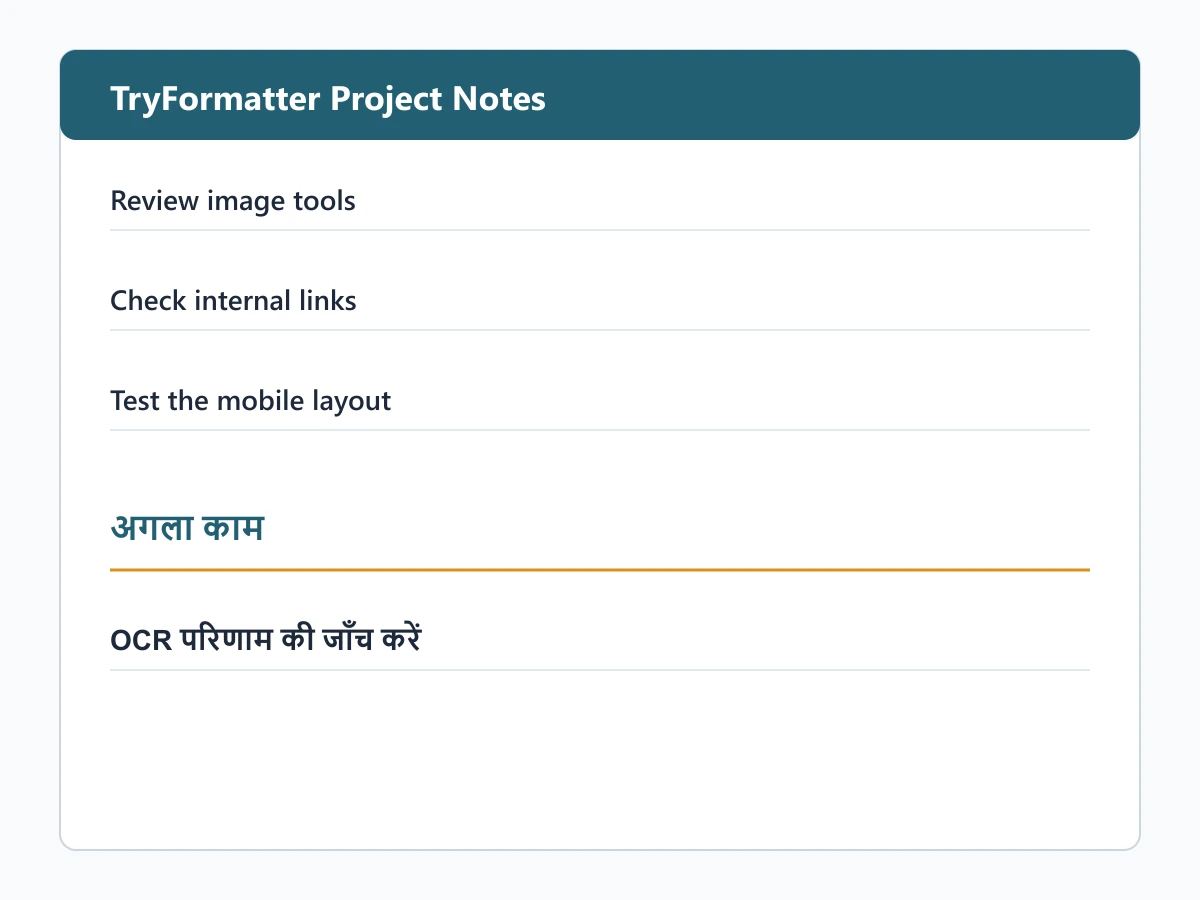
Sample Image — 1200 × 900 px
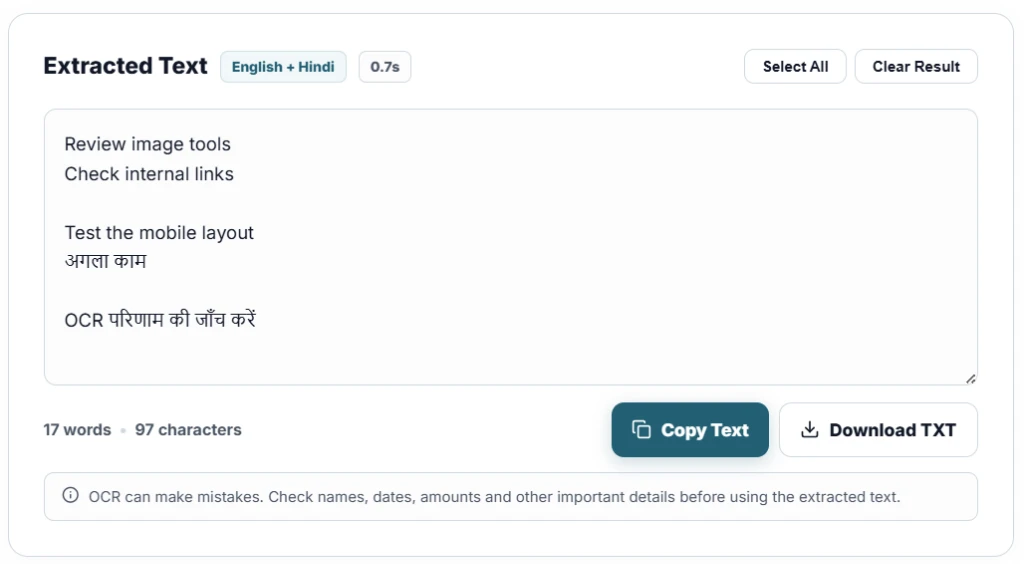
Extracted Text Output — English + Hindi (0.7s)
| Detail | Example result |
|---|---|
| Image dimensions | 1200 × 900 px |
| Image format | PNG |
| Selected language | English + Hindi |
| Word count | 17 words |
| Character count | 97 characters |
Note: Clear printed text usually gives better results than blurred, tilted, or handwritten text.
Which images give better OCR results?
OCR works best when the words are clear and easy to separate from the background. The following examples explain how image quality can affect the result.
| Image condition | Possible result | What you can do |
|---|---|---|
| Clear printed text | Usually easier to recognise | Use the original image when possible |
| Small text | Some letters or words may be missed | Use the Image Cropper to keep the important area or enlarge it with the Image Resizer |
| Blurred photo | Similar letters may be confused | Take another photo with steady focus and better lighting |
| Tilted document | Lines may be read in the wrong order | Photograph the page from above or rotate it before extraction |
| Handwriting | Results can vary | Review and correct the recognised text |
| English and Hindi together | One script may be missed when the wrong language is selected | Choose English + Hindi before extracting the text |
English and Hindi text recognition (Use cases)
Choose the language that matches the words in your image. Selecting only the language you need can make processing faster.
- English: Use this for English documents, screenshots, receipts, printed notes, and website text.
- Hindi: Use this for Hindi text written in the Devanagari script, such as notices, books, and printed pages.
- English + Hindi: Use this when both languages appear in the same image. Loading two language files may take longer during the first use.
Simple Text or Keep Line Breaks
The output option changes how the recognised text is arranged.
- Simple Text: Removes some extra spaces and line breaks to create cleaner paragraphs.
- Keep Line Breaks: Keeps recognised line breaks where possible. This can be useful for lists, short notes, and code screenshots.
Neither option can fully rebuild the original design of the document. Tables, columns, font styles, and exact spacing may change.
OCR limits for handwriting, tables, and blurred images
OCR can read many types of printed text, but the result may not always match the image exactly.
- Handwriting: Clear handwriting may produce some useful text, but printed letters usually work better. Joined or uneven writing can be difficult to recognise.
- Tables and columns: The tool may read words from rows and columns, but it does not rebuild them as a spreadsheet or an exact table.
- Blur and low contrast: Shadows, reflections, weak lighting, and poor focus can hide the shape of letters.
- Decorative fonts: Unusual, curved, or heavily styled letters may be recognised incorrectly.
Important: OCR can make mistakes. Check names, dates, amounts, document numbers, and other important details before using the extracted text.
Privacy and browser processing
The selected image is processed inside your browser and is not sent to TryFormatter for OCR.
The OCR engine uses browser-based WebAssembly processing. During the first extraction, it may download the worker files and language data needed for English, Hindi, or both languages.
Your browser may save these files for later use. Processing time depends on the image size, selected language, browser, internet connection during the first download, and available device memory.
Frequently Asked Questions
What is image-to-text OCR?
Image-to-text OCR reads letters and numbers from a photo, screenshot, or scanned page and turns them into editable text.
Which image formats can I use?
You can use JPG, JPEG, PNG, and WebP images. You can also paste a copied screenshot when your browser allows clipboard access.
Can it recognise English and Hindi in the same image?
Yes. Choose English + Hindi before extraction when both scripts appear in the image. Processing may take longer because both language files are used.
Can it read handwritten text?
It may recognise some clear handwriting, but printed text usually gives better results. Joined, unclear, or uneven writing may contain more errors.
Why are some words recognised incorrectly?
Small text, blur, shadows, unusual fonts, poor contrast, and tilted images can make letters difficult to recognise. You can correct the result in the text box.
Does it keep the original line breaks and layout?
Keep Line Breaks preserves recognised lines where possible. It does not recreate exact tables, columns, fonts, or page design.
Is my image uploaded to a server?
The selected image is processed inside your browser and is not sent to TryFormatter for OCR. The engine may download the required worker and language files.
Can I copy or download the extracted text?
Yes. You can edit the recognised text, copy it to your clipboard, or download the current result as a UTF-8 TXT file.