
robots.txt vs llms.txt in 2026: What AI Crawlers Actually Use
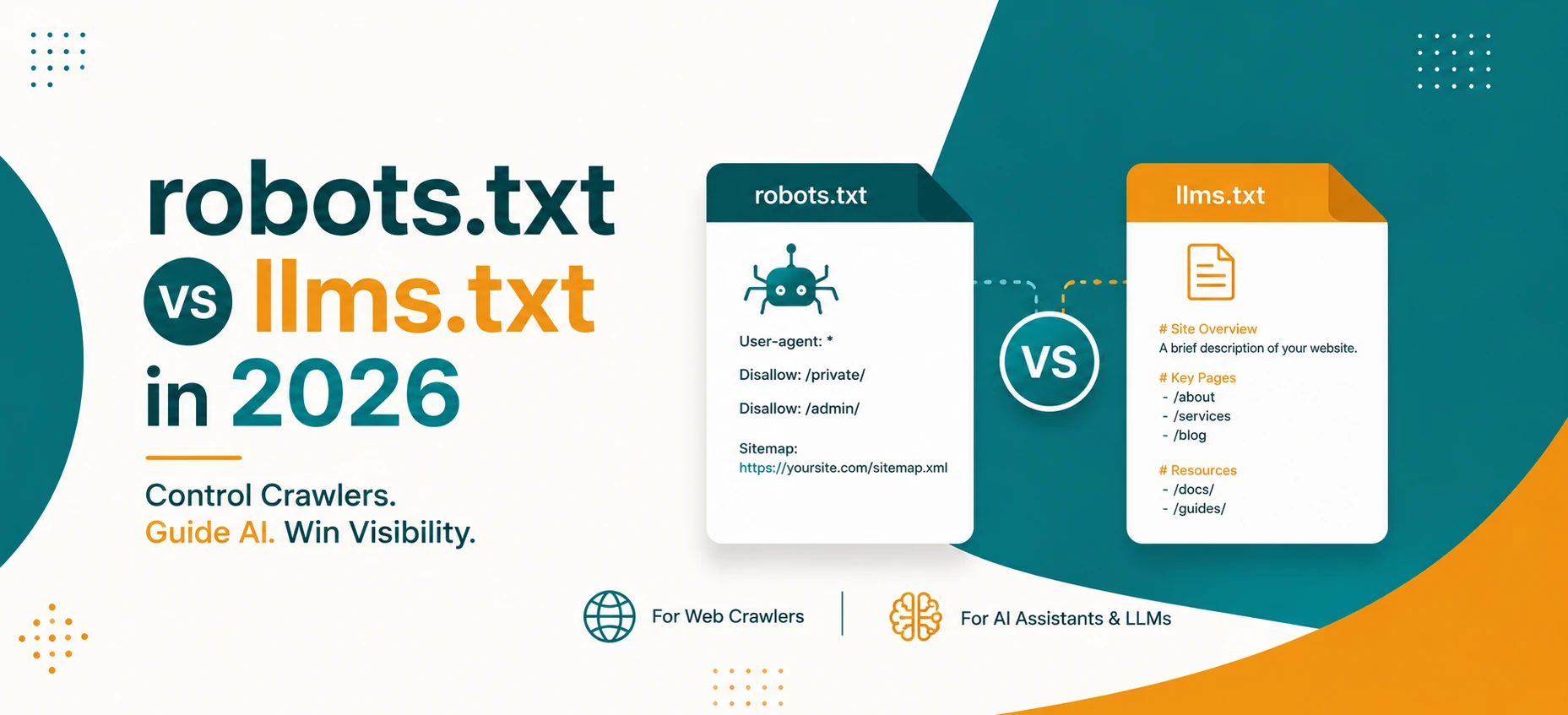
AI search has made crawler control feel confusing again. Website owners now see names like Googlebot, Google-Extended, OAI-SearchBot, GPTBot, ChatGPT-User, ClaudeBot, PerplexityBot, and more. At the same time, people are talking about llms.txt as a new way to explain websites to language models.
The important question is simple: if you want your public pages discovered, cited, and safely controlled in 2026, which file actually matters? The short answer is that robots.txt is still the real crawler control file. llms.txt can be a useful documentation experiment, but it is not a replacement for crawl rules, indexing rules, canonical URLs, or Search Console checks.
Short Answer
Use robots.txt to control crawler access, publish a clean sitemap, keep important pages indexable, and use robots meta tags such as noindex, nosnippet, max-snippet, and data-nosnippet when you need preview control. In 2026, llms.txt may help explain your site to some tools, but major search visibility still depends on normal crawlability, indexability, internal links, canonical URLs, visible text, and helpful content.
What robots.txt Actually Does
robots.txt is a plain text file placed at the root of a site, such as https://www.example.com/robots.txt. It tells crawlers which paths they are allowed or disallowed to fetch. The core fields are simple: User-agent, Allow, Disallow, and Sitemap.
That simplicity is also the trap. A Disallow rule can stop compliant crawlers from fetching a page, but it is not the same as removing the page from search results. If a blocked URL is linked elsewhere, search systems may still know that the URL exists. If you need a page removed from the index, use a proper noindex control on a crawlable page or use platform removal tools when appropriate.
What llms.txt Tries to Do
llms.txt is a proposed convention for giving language models a clean, markdown-style guide to important site pages, docs, policies, and usage notes. Think of it as an orientation file for AI readers, not an access-control system. It may include links to docs, product pages, API references, and summaries that explain what matters most.
That can be useful for developer documentation, software tools, and public knowledge bases. But it does not have the long-standing crawler support that robots.txt has. Search engines and AI platforms do not all treat it the same way, and Google says you do not need new AI text files or special AI markup to appear in its AI features.
Google AI Features: What Google Says
Google's guidance for AI Overviews and AI Mode is very direct: normal SEO fundamentals still apply. Pages need to meet Search technical requirements, be eligible for indexing and snippets, and provide helpful visible content. Google also says there are no additional technical requirements for AI Overviews or AI Mode.
For Google Search, this means your priority list should be familiar:
- Allow crawling for important pages in
robots.txt. - Make pages discoverable through internal links.
- Keep important content available as visible text.
- Use structured data only when it matches visible page content.
- Keep canonical URLs correct and consistent.
- Use Search Console to inspect indexing and crawl issues.
OpenAI Crawlers: Search, Training, and User Actions
OpenAI documents separate crawler/user-agent behavior. OAI-SearchBot is used for search features. GPTBot is used for crawling content that may help train generative AI foundation models. ChatGPT-User is different: it can visit a page because a user asked ChatGPT or a custom GPT to do something, and OpenAI notes that robots.txt rules may not apply in the same way to these user-triggered actions.
This distinction matters. You may decide to allow search discovery while blocking training crawls. You may also decide that public documentation should be easy to cite, while private or account-only content must stay behind authentication. A single "block all AI" rule is often too blunt for real websites.
Example: Balanced robots.txt for Search Visibility
This example keeps public pages discoverable, blocks private utility paths, allows OpenAI search visibility, and opts out of GPTBot training crawl. Adjust it to your own policy before publishing.
User-agent: *
Allow: /
Disallow: /api/
Disallow: /admin/
Disallow: /private/

User-agent: OAI-SearchBot
Allow: /

User-agent: GPTBot
Disallow: /

Sitemap: https://www.example.com/sitemap.xml
This is not a universal recommendation. It is a pattern. If your business wants training crawlers to access public content, you may allow GPTBot. If your legal or content policy says otherwise, you may block it. The key is to separate search discovery from model-training policy instead of treating every AI crawler as the same thing.
Example: When robots.txt Is Not Enough
If you want a page to stay out of Google's index, do not block it in robots.txt and stop there. Google needs to crawl the page to see a noindex directive. For page-level indexing control, use a robots meta tag:
<meta name="robots" content="noindex, nofollow">If you want the page indexed but want to limit snippets, use preview controls instead:
<meta name="robots" content="max-snippet:120, max-image-preview:large">For a small part of a page that should not appear in snippets, use data-nosnippet on valid HTML:
<p>This paragraph can be used in a snippet.</p>
<div data-nosnippet>This private note should not be used as a snippet.</div>
Should You Create llms.txt?
You can create llms.txt if your site has documentation, APIs, tools, or guides that would benefit from a plain-language map. It can be especially useful when your public content is large and you want to point AI readers toward the most useful pages.
But do not treat it as your SEO foundation. A good llms.txt file should support a strong website, not compensate for weak crawlability. If your sitemap is stale, canonical URLs are wrong, important pages are orphaned, or the main content is hidden behind fragile JavaScript, fix those first.
Example llms.txt File
A simple llms.txt file can act like a short table of contents for AI readers:
# Example Site

This site publishes secure browser tools and technical guides.

## Important pages
- Home: https://www.example.com/
- Blog: https://www.example.com/blog
- Privacy Policy: https://www.example.com/privacy-policy
- Robots Policy: https://www.example.com/robots.txt
- XML Sitemap: https://www.example.com/sitemap.xml

## Recommended guides
- AI crawler policy: https://www.example.com/blog/robots-txt-vs-llms-txt-ai-crawlers-2026
- Agent-friendly websites: https://www.example.com/blog/ai-agents-web-tools-agent-friendly-website-guide

## Tool pages
- Robots.txt Generator: https://www.example.com/seo/robots-txt-generator
- XML Sitemap Generator: https://www.example.com/seo/xml-sitemap-generator
- SEO Audit Tool: https://www.example.com/seo/seo-audit-tool
This file explains what matters, but it does not enforce permissions. If a crawler is allowed by robots.txt, it can still fetch pages. If a page is private, protect it with authentication, not with llms.txt.
AI Crawler Control Matrix
| Goal | Best Control | Why |
|---|---|---|
| Allow normal search discovery | robots.txt + sitemap + internal links |
Crawlers need permission and clear discovery paths. |
| Block a crawler from fetching a path | Disallow in robots.txt |
This is the standard crawler access control file. |
| Remove a page from index | noindex |
Indexing control is page-level, not just crawl-level. |
| Limit visible snippets | nosnippet, max-snippet, data-nosnippet |
Preview controls limit what search systems can show. |
| Explain important docs to AI readers | llms.txt |
Useful as guidance, but not a universal enforcement layer. |
Common Mistakes
The first mistake is blocking pages in robots.txt and expecting them to disappear from search. Crawl blocking and indexing are related, but they are not identical.
The second mistake is blocking all AI-related user agents without understanding the difference between search, training, ads validation, and user-triggered browsing. A site may want different rules for different use cases.
The third mistake is publishing llms.txt while leaving core SEO broken. If the sitemap is wrong, canonical tags point to old URLs, or internal links use redirects, AI-oriented files will not solve the underlying discovery problem.
TryFormatter Workflow
Audit and build crawler controls
External References
- Google Search Central: AI features and your website
- Google: How Google interprets robots.txt
- Google: Robots meta tags and X-Robots-Tag
- OpenAI crawler documentation
Frequently Asked Questions
No. Google's AI features guidance says existing SEO fundamentals apply and there are no additional technical requirements or special AI files needed for those features.
It can express crawler policy for bots that respect it. For OpenAI, for example, GPTBot is the documented user agent for training-related crawling. Other AI companies may use different user agents and policies.
Not necessarily. If you need removal from the index, use noindex on a crawlable page or use the appropriate removal tools. A blocked URL can still be known from links.
No. It is optional. It makes the most sense for documentation-heavy sites, APIs, software tools, and public knowledge bases where a clean content map can help AI readers understand the site.
Conclusion
In 2026, the practical answer is not robots.txt or llms.txt. It is robots.txt first, then correct indexing controls, sitemap hygiene, internal links, canonical URLs, structured data that matches visible content, and clear public documentation. llms.txt can be a helpful guide, but it should sit on top of that foundation.
If you want search and AI systems to understand your public pages, make those pages crawlable, useful, and easy to cite. If you want to protect private information, use real access control. Crawler files are policy signals. They are not a substitute for security.