
CTET Photo Size Requirements 2026: Photo, Signature, Dates, and Resize Steps
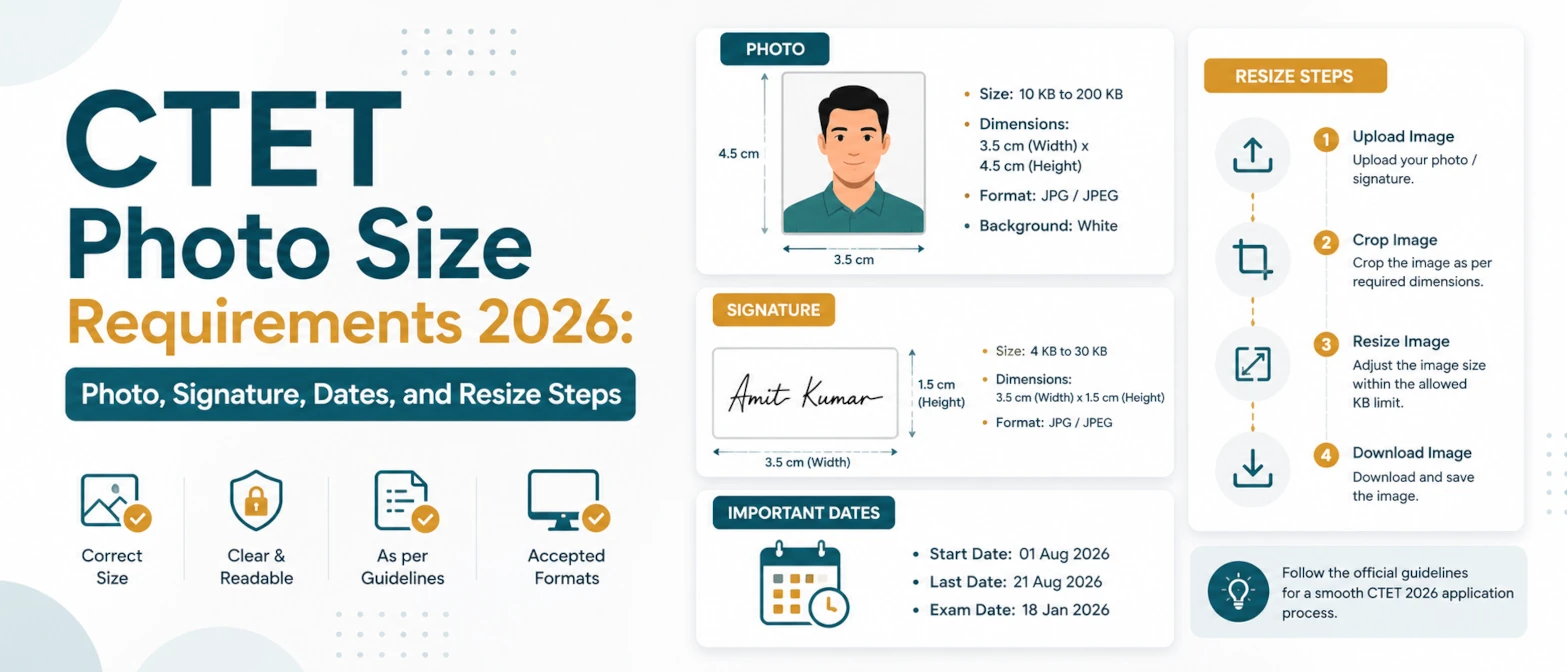
The CTET September 2026 application requires candidates to upload a scanned photograph and scanned signature in specific JPG/JPEG sizes. If either file is too large, too small, unclear, or the wrong shape, the upload field may reject it or the final application may create avoidable trouble later.
This guide summarizes the official CTET September 2026 upload rules and shows how to prepare both files with browser-local tools. The source is the official CTET September 2026 information bulletin page and the linked CTET September 2026 PDF bulletin.
Short answer
For CTET September 2026, the photograph must be JPG/JPEG, 10KB to 100KB, and 3.5cm x 4.5cm. The signature must be JPG/JPEG, 3KB to 30KB, and 3.5cm x 1.5cm. The application window listed in the bulletin is May 11, 2026 to June 10, 2026 before 11:59 PM, and the exam date shown in the bulletin is September 6, 2026.
CTET September 2026 important dates
The official bulletin page was published on May 11, 2026. The PDF bulletin says candidates can apply online through the CTET website or CBSE website from May 11, 2026 to June 10, 2026 before 11:59 PM. The exam schedule shown in the bulletin lists September 6, 2026, with Paper II in the morning shift and Paper I in the evening shift.
Because exam portals can update instructions, always check the latest notice on ctet.nic.in before final submission. Use this guide and the tools as a preparation workflow, then confirm the portal accepts the final files.
Official CTET photo and signature requirements
| Upload item | Format | File size | Dimensions |
|---|---|---|---|
| Photograph | JPG/JPEG | 10KB to 100KB | 3.5cm x 4.5cm |
| Signature | JPG/JPEG | 3KB to 30KB | 3.5cm x 1.5cm |
The bulletin also states that uploading scanned photo and signature images is mandatory. It advises candidates to keep both scanned images ready in JPG/JPEG format and as per the specified size and dimension before applying online.
How to resize the CTET photo
- Start with a recent, clear portrait photo. Avoid screenshots, filters, dark backgrounds, and very small source files.
- Open the CTET Photo Resize 2026 tool.
- Use the CTET Photo 2026 preset. It prepares the 3.5cm x 4.5cm portrait ratio.
- Keep the output format as JPG and target file size at 100KB.
- Download the result and check that the final file is between 10KB and 100KB.
If your result is below 10KB, increase quality or start from a clearer source photo. If the face is cropped too tightly, use a source image with more space around the head and shoulders. If the file is still too large, reduce quality slightly or try Compress Image to Size.
How to resize the CTET signature
- Sign on clean white paper using dark ink. A dark blue or black signature usually compresses cleanly.
- Scan or photograph only the signature area. Avoid including the whole sheet of paper.
- Open the CTET Signature Resize 2026 tool.
- Use the CTET Signature 2026 preset with JPG output and a 30KB target.
- Download the file and confirm that it is between 3KB and 30KB and still readable.
If the signature looks faint, use a darker source image or crop closer to the ink before resizing. If the signature touches the edge, leave a little white margin and process it again. For general upload forms outside CTET, use the Signature Resizer.
Common rejection reasons
- Wrong format: uploading PNG, WebP, HEIC, or PDF when the instructions require JPG/JPEG.
- Wrong KB range: photo above 100KB or below 10KB, signature above 30KB or below 3KB.
- Wrong shape: square photos or tall signature images that do not match the official dimensions.
- Unclear identity: blurry photo, heavy compression artifacts, shadows, filters, or cropped face.
- Unreadable signature: too much blank paper, low contrast ink, or signature compressed until it becomes broken.
Best workflow before submitting
Prepare both files before you start the application form. Keep the original files in one folder and the resized JPG/JPEG files in another folder. Name the files clearly, such as ctet-photo-2026.jpg and ctet-signature-2026.jpg, so you do not upload the wrong file by mistake.
For the fastest workflow, use CTET Photo & Signature Resize 2026. Resize the photo first with the CTET Photo preset and 100KB target. Then resize the signature with the CTET Signature preset and 30KB target. Download each file and check the final size in your file manager before uploading.
Helpful related tools
Privacy note
TryFormatter image tools process files locally in your browser. Your CTET photograph and signature require no server upload, and data never leaves your device. This is useful for exam application files because they contain personal identity information. After downloading the final files, clear the workspace or close the tab if you are using a shared computer.
Final checklist
- Photo is JPG/JPEG, 10KB to 100KB, and 3.5cm x 4.5cm.
- Signature is JPG/JPEG, 3KB to 30KB, and 3.5cm x 1.5cm.
- Both files are clear, readable, and not over-compressed.
- The CTET portal accepts both uploads before you complete the final submission.