
The End of Cloud-Based PDF Editors: Security Risks of Server-Side Document Processing
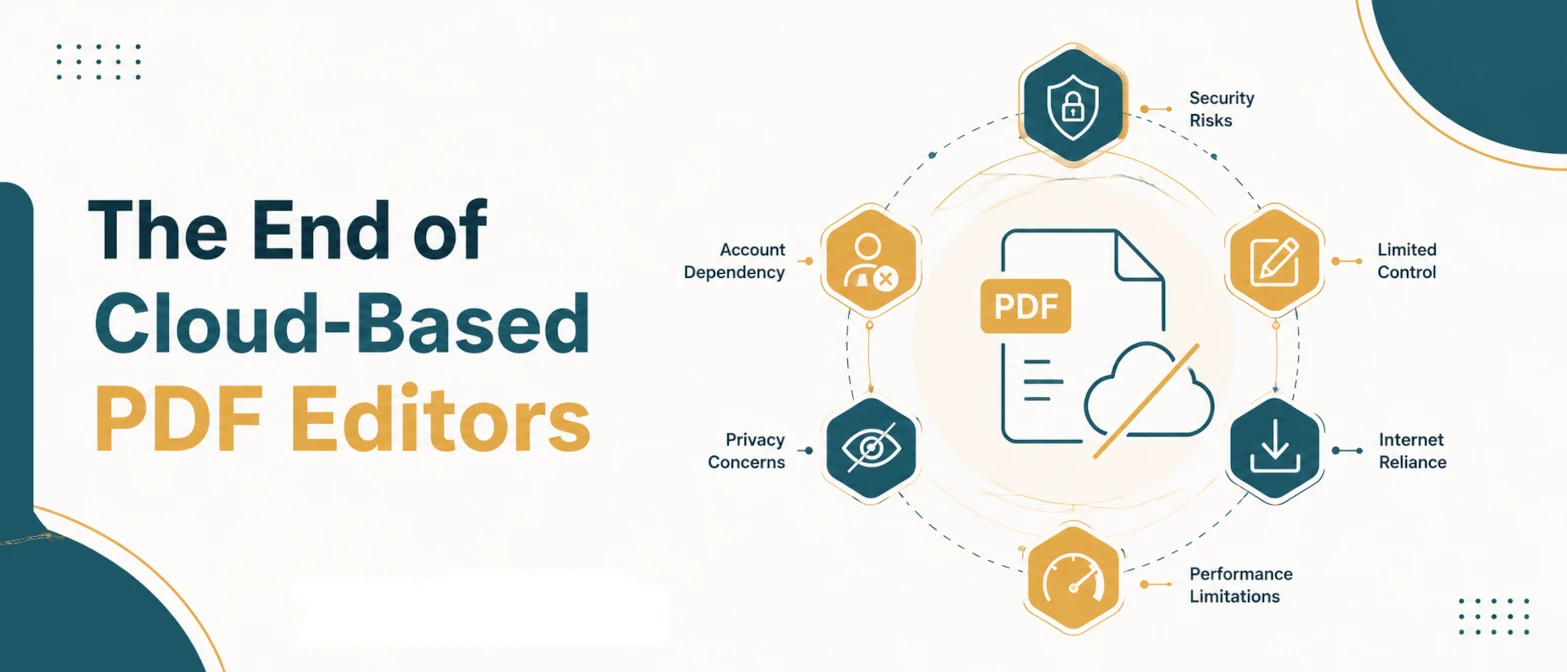
For over a decade, businesses and individuals have relied on free cloud-based PDF editors to merge, split, compress, and edit their documents. While these services offer convenience, the underlying architecture—uploading files to remote servers for processing—has become a massive security liability.
As we navigate the regulatory landscape of May 2026, data privacy laws like GDPR and CCPA have forced organizations to rethink how they handle Personally Identifiable Information (PII). Sending tax returns, legal contracts, or confidential HR documents to third-party cloud APIs is no longer acceptable when secure, local alternatives exist.
Short answer
Cloud-based PDF editors are obsolete for sensitive data because they require uploading documents to external servers, creating vulnerabilities for data breaches, unauthorized retention, and third-party AI training. In 2026, browser-native tools powered by WebAssembly (WASM) allow users to process, merge, compress, and edit PDFs entirely within the local device's memory, ensuring zero-transit security and complete data privacy.
Why this matters now
As of mid-2026, the intersection of aggressive AI data scraping and rising cyberattacks has made "server-side processing" a major red flag for corporate IT departments. When you use a traditional cloud PDF tool, your document travels across the public internet, lands on a remote server, gets processed, and is (supposedly) deleted. However, recent audits have shown that many "free" tools retain these documents to train machine learning models or sell the extracted data.
The solution is Zero-Transit Security. Thanks to WebAssembly, modern web browsers can now run complex PDF manipulation engines locally. Your files never leave your device. The end of cloud-based PDF processing is not just a technological shift; it is a necessary evolution for privacy.
The security risks of server-side PDF processing
1. Data Retention and AI Training
Many terms of service agreements allow providers to retain uploaded documents for "service improvement." In 2026, this almost universally means feeding your data into Large Language Models (LLMs). Your proprietary contracts could inadvertently become part of a public AI's knowledge base.
2. Man-in-the-Middle (MitM) Attacks
Even with TLS encryption, transmitting highly sensitive documents across networks introduces risk. If a certificate is compromised or an endpoint is misconfigured, your data can be intercepted during transit.
3. Server Breaches and Orphaned Files
Cloud servers are lucrative targets for hackers. Even if a provider claims to delete your PDF after 2 hours, temporary storage buckets are notoriously prone to misconfiguration. If the server is breached during that window, your data is compromised.
Step-by-step workflow: Migrating to browser-native PDF tools
Transitioning away from cloud PDF APIs to local-first tools is straightforward. Follow this implementation plan for your team:
- Audit current usage: Identify which cloud PDF APIs or free web tools your employees are currently using to merge, split, or compress documents.
- Block known risky domains: Update your corporate firewall to block access to untrusted, cloud-dependent PDF manipulation sites.
- Adopt WebAssembly alternatives: Introduce your team to browser-native utilities that perform all operations via client-side JavaScript and WASM. Ensure the tools explicitly state they require no server uploads.
- Verify zero-transit: You can prove a tool is local-first by loading the page, disconnecting from the internet, and performing the PDF operation. If it works offline, your data is secure.
Examples of Zero-Transit PDF Processing
Example 1: Merging Financial Reports
Scenario: An accountant needs to combine five separate quarterly report PDFs into a single year-end document.
The Risk: Uploading financial data to a cloud API violates client confidentiality agreements.
The Solution: Using a browser-native PDF Merger, the accountant selects the files. The browser's local memory reads the binary data, stitches the PDF structures together, and triggers a download. Zero bytes are sent over the network.
Example 2: Compressing Legal Contracts
Scenario: A paralegal needs to email a 50MB scanned contract, but the email server limits attachments to 25MB.
The Risk: Cloud compressors often retain unencrypted copies of documents on their servers during processing.
The Solution: A local PDF Compressor uses client-side WebAssembly to optimize image assets within the PDF, reducing the file size instantly without uploading the contract to the internet.
Example 3: Splitting HR Documents
Scenario: An HR manager scans a bulk 100-page document containing individual employee performance reviews and needs to separate them.
The Risk: PII exposure is a massive GDPR violation if uploaded to an unsecured third-party server.
The Solution: Using a local PDF Splitter, the manager extracts specific page ranges entirely within their browser sandbox, without uploading the document.
Common mistakes and validation checklist
When evaluating PDF tools, do not rely solely on marketing claims like "Secure" or "Encrypted." Use this checklist to validate true local processing:
Validation Checklist
- The Airplane Mode Test: Load the tool, turn off Wi-Fi, and try to process a file. True local tools will work flawlessly.
- Inspect Network Traffic: Open your browser's Developer Tools (F12) -> Network tab. Upload a file. If you see a POST request sending the actual PDF payload, the tool is cloud-based.
- Check the Privacy Policy: Look for exact phrasing like "processed entirely in your browser" and "never transmitted."
Common Mistakes
- Assuming "Deleted after 1 hour" means secure: Temporary storage is still storage. A lot can happen in an hour.
- Trusting SSL/TLS blindly: Encryption in transit protects the journey, but it does not protect the data once it reaches the remote server.
- Using generic AI chatbots for PDF analysis: Uploading PDFs to general-purpose LLMs without enterprise data agreements often grants the provider the right to train on your documents.
TryFormatter Zero-Transit PDF Suite
At TryFormatter, we believe in privacy by design. All of our PDF utilities are engineered using cutting-edge WebAssembly, ensuring your documents never leave your device.
Secure Browser-Native PDF Tools
Frequently asked questions
Modern browsers support WebAssembly (WASM), which allows high-performance languages like C++ or Rust to run directly in the web page. This allows heavy PDF engines to manipulate binary data using your device's local CPU and RAM.
Usually, they are much faster. Cloud tools require you to wait for the file to upload and download. Browser-native tools process the file instantly using your local hardware, completely eliminating network latency.
Incognito mode prevents your browser from saving local history, but it does NOT stop a cloud-based website from uploading your files to their servers. You must use a true local-first tool for data privacy.
Yes. Browsers can allocate significant amounts of memory for WASM tasks. While extremely massive files might be constrained by your device's available RAM, modern computers and phones can easily process hundreds of pages locally.
Conclusion
The era of blindly uploading sensitive files to remote servers is over. The technology now exists to perform heavy document manipulation directly within the secure sandbox of your web browser. By auditing your team's workflow and switching to zero-transit, WebAssembly-powered tools, you can completely eliminate the security risks associated with server-side document processing.