
Bulk Image Converter Online
Convert multiple JPG, PNG, WebP, and AVIF images at once. Preview every result and download files individually or together as a ZIP. Images are processed in your browser session. All processing happens locally in your browser.
Bulk Converter Workspace
Drag and drop images here
Add JPG, PNG, WebP, or supported image files and convert them together.
You can download converted images individually or together as a ZIP.
Popular Conversion Shortcuts
What is a Bulk Image Converter?
A Bulk Image Converter is a high-speed browser-based utility designed to handle multiple file conversions simultaneously in one session. Instead of uploading single images one at a time, this tool processes entire batches locally using HTML5 canvas capabilities. Whether migrating website formats or optimizing photographic galleries, this secure utility operates without signup and requires zero data transfers to remote servers.
The core advantage of local browser processing is speed and confidentiality. Because your images never leave your local device, sensitive records, pre-launch design mockups, and client photos remain completely private. The application processes raw files in the browser session, allowing you to convert, adjust quality settings, and package your outputs into a single downloadable ZIP archive instantly.
How to convert multiple images online
Ready to standardize your image library? Follow this structured guide to process your files safely inside your browser session:
- Select and Upload Batch: Drag and drop your files directly into the active upload box or click "Select Images" to choose them from your local folders.
- Apply Output Format: Choose your target output format (such as JPG, PNG, WebP, or AVIF) from the settings console, or click a popular conversion shortcut to instantly set the type.
- Configure Additional Settings: Adjust the quality level to control the compression ratio. If you are converting transparent PNG files to JPG format, select a background color to fill transparent sections.
- Execute local conversion: Click "Convert All" to process all images in the workspace, or click "Convert Selected" to run conversion on checked items only.
- Download ZIP Archive: Save your converted files individually from their workspace cards, or click the primary "Download ZIP" button to save the entire processed batch at once.
Examples of Batch conversion
These practical examples show common ways users utilize the batch conversion features:
- Example 1: Standardizing a product photo batch from HEIC to WebP to reduce page weight and load times.
- Example 2: Converting screenshot mockups from PNG to JPG while coloring background transparency with a custom brand color.
- Example 3: Converting photography folders to AVIF for high-fidelity portfolio presentation on modern browsers.
Practical Use Cases
This local conversion utility fits various roles and use cases:
- Web developers: Optimizing gallery uploads into high-efficiency formats before deployments.
- Designers: Exporting asset formats in bulk to prepare design hands-offs with consistent file extensions.
- Students: Modifying digital documents and form signatures into specific formats (like JPG) to pass government recruitment size rules.
Supported Bulk Image Conversions
The Bulk Image Converter supports a wide array of file formats. Review the primary input and output matrix below to plan your conversion workflow:
| Input Format | Available Output Formats | Common Use |
|---|---|---|
| JPG | PNG, WebP, AVIF | Transparency workflows and modern web formats |
| PNG | JPG, WebP, AVIF | Smaller website and product images |
| WebP | JPG, PNG, AVIF | Compatibility with editors and upload portals |
| AVIF | JPG, PNG, WebP | Converting modern images for wider compatibility |
Available output formats may depend on browser support.
Bulk Image Converter vs single image converter
While single converters work well for isolated modifications, they quickly become bottlenecks when managing product catalog updates, blog directories, or photo albums. A bulk converter manages batches in a parallel workflow queue. By using client-side processing, it operates without server-enforced limits, allowing you to convert dozens of files in one action.
Additionally, bulk converters standardize metadata and quality configurations across your entire batch. Instead of manually applying compression levels, format conversions, and background colors to every photo, you specify parameters once in the settings console and apply them universally.
Choosing the right output format
Standardizing on the wrong format can negatively affect website speed, file sizes, and image quality. Choose the ideal output format based on these practical guidelines:
- JPG: Select JPG when converting photos or high-contrast graphics that do not contain transparent layers and need universal system compatibility.
- PNG: Select PNG to preserve lossless quality, sharp text edges, and transparency details (such as logo graphics, screenshots, or vectors).
- WebP: Select WebP for general web optimization. It supports alpha-channel transparency and produces files that are typically smaller than JPG and PNG equivalents.
- AVIF: Select AVIF for next-generation web optimization when targeting newer devices and browsers. It offers maximum compression efficiency for rich gradients.
Transparency and JPG background handling
JPG does not support alpha-channel transparency. If you upload transparent PNG or WebP images and convert them to JPG, the transparent areas must be filled with a solid color. By default, our tool uses a clean white background (#ffffff) to ensure logos and text remain legible.
You can customize this color using the settings console. If your layout requires a black, gray, or branded backdrop, select the appropriate background fill color before starting the conversion. If transparency must be kept, select PNG, WebP, or AVIF as your output format instead.
How ZIP download works
When converting multiple files, downloading them individually can be tedious. To streamline your workflow, our tool packages all processed files into a single ZIP archive. This packaging happens entirely in your local browser memory using the lightweight JSZip utility.
Once the conversion queue completes, the application bundles the raw image blobs together and triggers a standard system download. Your files remain named after the originals with their new extensions, keeping your folders organized without server-side storage or tracking.
Common conversion problems
If you encounter issues during your batch conversion, review these typical scenarios and their solutions:
- Browser crashes or freezes: Processing extremely large images (e.g. 50 MB+ photos) can exceed available browser tab memory limits. Try converting smaller batches or scaling dimensions down first.
- Missing transparency: Double-check that your output format is set to WebP, PNG, or AVIF. If JPG is selected, transparency will be filled with your chosen background color.
- Outputs larger than originals: If your output file size is larger than the original source, the image may have already been highly optimized. Try reducing the quality slider or keeping the original file.
Browser support and file compatibility
Because Bulk Image Converter operates client-side in the browser, file format support is tied to your browser's capabilities. Modern browsers support JPG, PNG, and WebP natively. However, AVIF encoding or HEIC input processing might be limited in older browser versions.
If a specific format option is grayed out or marked as unsupported on your device, the tool will notify you. In these cases, WebP serves as the most reliable modern alternative, offering strong compatibility and lightweight payloads.
Privacy and browser-based workflow
No Server Uploads, Full Client-Side Security
TryFormatter operates on a private, local-first architecture. Your uploaded files are converted entirely within your browser's sandbox using the Canvas API. Because there are no backend server transfers, your photos, business records, and creative drafts never leave your device.
Related image tools
Optimize your media pipeline further by integrating other utilities from our secure workspace suite:
Conversion Quality Verification Checklist
Use these guidelines to verify output fidelity. Checked items persist in your local browser settings.
Frequently Asked Questions
Can I convert multiple images at once?
Yes. You can upload multiple files into the workspace and convert them to your chosen target format in a single batch.
Which image formats are supported?
The tool supports inputs like JPG, PNG, WebP, GIF, SVG, BMP, TIFF, ICO, AVIF, HEIC, and HEIF. You can convert them to PNG, JPG, WebP, or AVIF.
Can I convert mixed image formats in one batch?
Yes. You can upload a mixed batch of JPG, PNG, WebP, and other formats together, applying a single target output format across the whole batch.
Can I download all converted files as a ZIP?
Yes. Once the conversions are complete, you can download all files packaged together in a single ZIP archive.
Will PNG transparency be preserved?
PNG transparency is preserved if you convert to WebP, AVIF, or PNG. It is not preserved if you convert to JPG.
What happens when I convert a transparent PNG to JPG?
Because JPG format does not support transparency, transparent areas are filled with your selected background color (default is white).
Why is the converted image larger than the original?
This happens if the original file was already highly optimized or if you selected a format with less efficient compression (like PNG instead of WebP).
Does AVIF work in every browser?
AVIF export support depends on your browser. If your browser does not support AVIF encoding, the option will be disabled and we recommend WebP.
Can I convert images without signup?
Yes. Bulk Image Converter is 100% free and requires no signup, registration, daily limits, or credits.
Are filenames included in analytics?
No. All image data, filenames, and contents are processed locally in your browser and are never sent to analytics or servers.
Can I download one converted image separately?
Yes. Each image card has its own download button, allowing you to save individual files instead of downloading the whole ZIP.
What should I do if one file fails?
If a single file fails to convert, you can click the 'Retry' button on that specific image card without restarting the rest of the batch.
Related Tools
Expert Guides & Tutorials
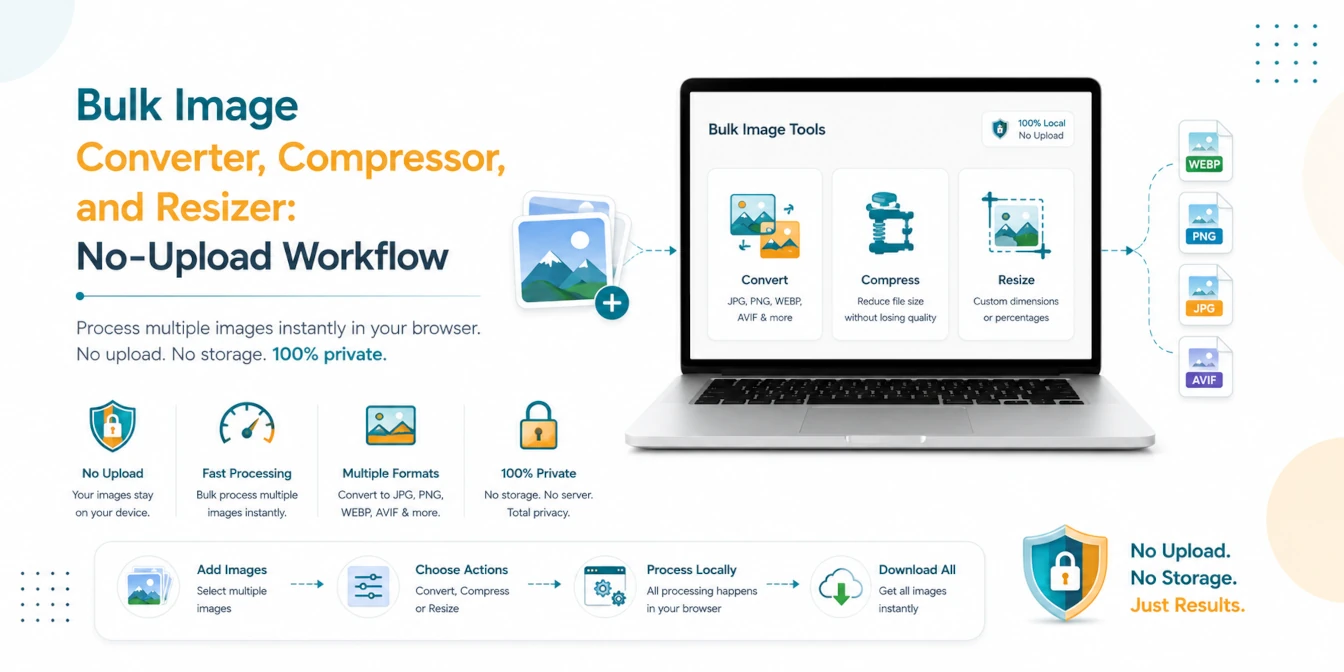
Bulk Image Converter, Compressor, and Resizer: No-Upload Workflow
A practical batch image workflow for converting, compressing, and resizing JPG, PNG, WebP, AVIF, and HEIC files locally in your browser.
Read Guide →
JPG vs PNG vs WebP: Which Image Format is Best in 2026?
Choosing the right image format can make a huge difference in quality, file size, and website speed. Discover why WebP is the winner for 2026.
Read Guide →
How to Optimize Images for Web Performance: The Ultimate 2026 Guide
Slow websites lose users. Learn the professional secrets of image optimization—from WebP conversion to bulk compression—and boost your Core Web Vitals instantly.
Read Guide →