
Bulk Image Resizer Online Free With No Upload
Resize multiple images at once with one shared size setting. This free online bulk image resizer runs entirely in your browser, requires no server upload, and lets you download every resized file together as a ZIP. All processing happens locally in your browser.
Bulk Image Resizer Workspace
Drop Images Here
Batch resize JPG, PNG, WebP, or GIF locally in your browser.
What is Bulk Image Resizer?
Bulk Image Resizer is a powerful, browser-based utility that helps resize multiple images at once directly in the browser. It eliminates the need for desktop software and tedious one-by-one editing. Users can resize images by pixel dimensions or percentage, preserve aspect ratio to avoid distortion, choose their preferred output format, and download the entire processed batch as a single ZIP file.
Because everything happens locally on your device, Bulk Image Resizer is incredibly fast. You don't have to wait for large image folders to upload to a server or wait in a remote processing queue. This approach ensures maximum efficiency and absolute privacy for your digital assets.
Why resize multiple images at once?
Batch resizing saves significant time across multiple professional and personal workflows. Whether you are managing a website, an ecommerce catalog, a social media presence, or a portfolio, standardizing image dimensions is crucial for both performance and visual consistency.
Ecommerce Catalogs
Ensure all product photos have the exact same dimensions for a clean, uniform grid layout on your store.
Social Media
Prepare batches of photos for Instagram carousels, stories, or Pinterest pins to meet strict platform guidelines.
Web Performance
Reduce the physical dimensions of oversized photos before uploading them to your blog or CMS to drastically improve page load speeds.
Resize by pixels vs percentage
Bulk Image Resizer offers multiple resizing modes depending on your objective. Use this guide to choose the right approach for your batch.
| Mode | Best For | Example | When to Use |
|---|---|---|---|
| Pixels (Exact) | Standardized grids and specific platform limits. | 1080 × 1080 | When an exact bounding box is required, like a square profile photo or product thumbnail. |
| Percentage | Quick, proportional reduction of large files. | 50% scale | When you have massive photos (e.g., from a DSLR) and simply want to make them all half the size. |
| Width only | Web articles, blogs, and responsive layouts. | 1200px width | When images need to fit a specific column width, but the heights can vary naturally. |
| Height only | Horizontal scrolling galleries and carousels. | 800px height | When creating a filmstrip layout where all images must align vertically. |
Keep aspect ratio explained
The "Keep aspect ratio" setting is the most important feature for maintaining image quality during a resize. Keeping the aspect ratio prevents your images from becoming stretched, squished, or distorted. When this feature is enabled, the tool will automatically calculate the missing width or height to ensure the image retains its original proportions.
Example: If you have an original photo that is 4000 × 3000 pixels, it uses a 4:3 ratio. If you set the target width to 1200 and enable aspect ratio, the tool will automatically calculate the height as 900. The resulting 1200 × 900 image keeps the original proportions and looks natural.
Common image size presets
To speed up your workflow, we have included common presets for web and social media. Selecting a preset automatically fills in the optimal width and height.
| Preset | Size | Best For |
|---|---|---|
| Full HD | 1920 × 1080 | Website hero banners and desktop wallpapers |
| YouTube Thumbnail | 1280 × 720 | Video thumbnails and standard HD layouts |
| Instagram Square | 1080 × 1080 | Social media posts and grid feeds |
| Story / Reel | 1080 × 1920 | Vertical video covers and mobile stories |
| Open Graph | 1200 × 630 | Link preview images for Facebook, Twitter, and LinkedIn |
| Product Image | 800 × 800 | Standard ecommerce product listings |
| Profile Image | 600 × 600 | Standard avatars for forums and social accounts |
| Small Avatar | 300 × 300 | Compact UI elements and comment sections |
How to resize multiple images
Step 1: Upload Your Image Batch
Drag and drop multiple image files (JPG, PNG, WebP, or GIF) directly into the workspace dropzone, or click the file selector to select files from your local storage.
Step 2: Choose Size Setting
Select a mode (Pixels or Percentage), enter your dimensions, and decide whether to keep the aspect ratio or use a specific fit mode (Contain, Cover, Stretch).
Step 3: Select Output Format
Choose whether to keep the original format or convert the batch to JPG, PNG, or WebP. Adjust the quality slider if using a compressed format.
Step 4: Resize Batch
Click "Resize All" to process the images instantly using your device's local memory.
Step 5: Download ZIP
Review the output sizes and download the entire resized batch as a single, convenient ZIP file.
Browser-based privacy and no-upload processing
Private Browser-Based Processing
Files are processed locally in your browser memory using HTML5 Canvas. There is no server upload, no account requirement, and no stored file workspace. Your private photos, unreleased designs, and client assets stay on your device during the resizing workflow.
Examples of bulk image resizing
Example 1: Converting DSLR photos for web
Original: 4000x3000 pixels (5MB each)
Setting: Width 1200px, Keep aspect ratio, WebP
Result: 1200x900 pixels (100KB each)
Example 2: Formatting products for Amazon
Original: Various random sizes
Setting: 1000x1000 pixels, Fit Mode: Contain
Result: Uniform 1000x1000 squares with white padding
Use cases
Ecommerce product images
Ensure every product shot is exactly 1000x1000 pixels with a white background for a professional storefront.
Blog and website images
Scale down massive stock photos to a web-friendly width (e.g., 1200px) before uploading to WordPress.
Social media images
Quickly format a batch of photos into 1080x1080 squares for an Instagram carousel post.
Job forms and application portals
Resize ID documents and portrait photos to meet strict pixel and file size requirements on government or corporate portals.
Developer asset folders
Resize massive folders of placeholder images or UI assets for an app deployment in seconds.
Portfolio galleries
Standardize the heights of diverse artwork and photography for a seamless horizontal scrolling gallery.
⚠️ Common Bulk Resizing Mistakes
- Stretching images by disabling aspect ratio accidentally: Forcing a rectangular photo into a square dimension without keeping the aspect ratio will squash the image. Use "Contain" or "Cover" fit modes instead.
- Using very large dimensions unnecessarily: Resizing a 500px image up to 2000px won't add detail; it only makes the file heavier and blurry. Avoid upscaling whenever possible.
- Exporting transparent PNGs as JPG: JPG does not support transparency. If you batch resize transparent logos and export to JPG, the background will turn solid white.
- Over-compressing images with low quality: Sliding the quality down to 10% will create tiny files but ruin the visual integrity with severe artifacts. Stick to 80-85% for a good balance.
- Forgetting to keep original backup files: Always review the downloaded ZIP before deleting the originals from your device, especially when applying aggressive downsizing.
Original Image vs Resized Image Preview
Use the preview slider to compare the original image with a resized version. Drag the divider left or right to inspect dimension changes, sharpness, and visual quality.
Example preview only. Final output depends on original image size, selected dimensions, output format, and quality settings.
Related Image Tools
Explore our other browser-native image tools for a complete optimization workflow:
Frequently Asked Questions
How does Bulk Image Resizer protect my privacy?
Bulk Image Resizer processes images locally inside your browser. Your files are not uploaded to TryFormatter servers, and the resized output remains under your control.
Can I resize multiple images at once?
Yes. You can upload multiple images, apply the same width, height, percentage, format, or quality settings, and download the resized batch as a ZIP file.
Can I keep the original aspect ratio?
Yes. Enable the keep aspect ratio option to prevent images from becoming stretched or distorted. The tool can automatically calculate the missing width or height.
Can I resize images by percentage?
Yes. You can resize images by percentage, such as 50% or 25%, when you want to reduce all images proportionally.
Which output formats are supported?
Bulk Image Resizer can export images as the same format where possible, JPG, PNG, or WebP depending on browser support.
Will transparent PNG images stay transparent?
Transparency is preserved when exporting to PNG or WebP where supported. If you export a transparent image as JPG, the transparent areas may become a solid background because JPG does not support transparency.
Will resizing reduce file size?
Usually yes. Smaller image dimensions often reduce file size, but final size also depends on image format, quality setting, and image content.
Can I use this for social media image sizes?
Yes. You can use presets such as 1080×1080, 1080×1920, 1280×720, and 1200×630 for common social media and web preview formats.
Is there a batch size limit?
There is no server-enforced limit. Performance depends on your device memory, browser, image dimensions, and number of files.
Can I download all resized images together?
Yes. After resizing, you can download individual files or download all resized images together as a ZIP archive.
Does Bulk Image Resizer work offline?
The resizing process is browser-based, so it may continue after the page has loaded if the required scripts and assets are already available. Initial page access still requires an internet connection.
Related Tools
Expert Guides & Tutorials
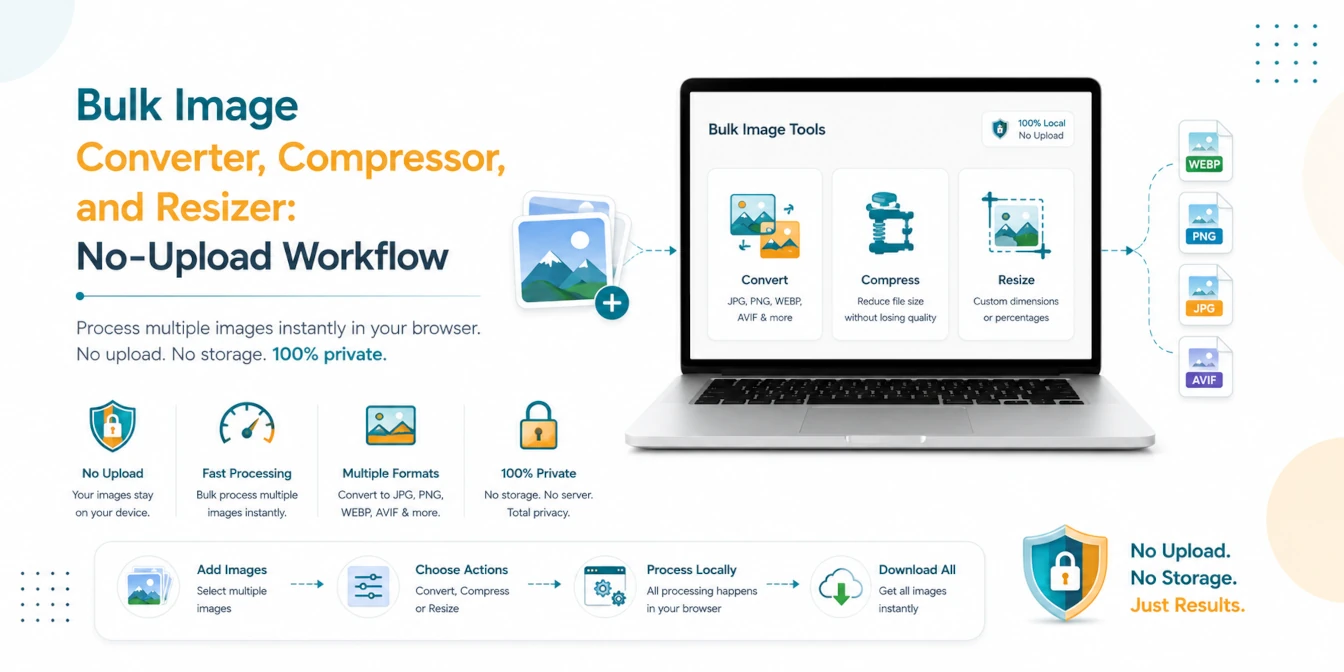
Bulk Image Converter, Compressor, and Resizer: No-Upload Workflow
A practical batch image workflow for converting, compressing, and resizing JPG, PNG, WebP, AVIF, and HEIC files locally in your browser.
Read Guide →
How to Optimize Images for Web Performance: The Ultimate 2026 Guide
Slow websites lose users. Learn the professional secrets of image optimization—from WebP conversion to bulk compression—and boost your Core Web Vitals instantly.
Read Guide →