
Online Image Converter
Convert photos, graphics, and web assets between JPG, PNG, WebP, AVIF, and SVG right in your browser. Batch convert multiple images simultaneously with adjustable compression quality, custom dimension resizing, and complete local privacy — your files are never uploaded to any remote server. All processing happens locally in your browser.
Drop Images Here to Convert
Batch convert JPG, PNG, WebP, AVIF, GIF, and SVG formats in your browser.
What is an image converter?
An image converter changes an image from one file format to another. Different formats are useful for different jobs: JPEG works well for photographs, PNG preserves transparency and sharp graphics, WebP can provide efficient web delivery, and SVG stores scalable vector artwork rather than a fixed grid of pixels.
When a raster image is converted in the browser, the browser first decodes the source file into image data. The image can then be resized if requested and encoded again in a supported output format. The exact formats available for decoding and export depend on the browser and the conversion method used by the tool.
Changing the file format does not automatically improve image quality. Conversion changes how the image is stored, while resizing and lossy compression can also change its dimensions or visual detail.
How to convert images
- Add your images Drag and drop supported image files into the converter or choose files from your device. If batch processing is available, you can add multiple images at once.
- Choose an output format Select the format you need. JPEG is useful for photographs and broad compatibility, PNG is useful when transparency or lossless raster output matters, and WebP or AVIF can be useful for modern web delivery when supported.
- Adjust quality or dimensions For supported lossy formats, use the quality control to balance image detail and file size. If resizing is enabled, set a width, height, or percentage while preserving the aspect ratio when needed.
- Convert the images Start the conversion and review the generated files, output dimensions, and file sizes.
- Download the results Download individual converted images or use the batch download option when the tool provides one.
Image format comparison
The best format depends on what the image contains and where it will be used. No single format is always the smallest or highest quality.
| Format | Compression | Transparency | Animation | Good for |
|---|---|---|---|---|
| JPEG / JPG | Lossy | No | No | Photographs, camera images, email attachments, and broad compatibility |
| PNG | Lossless | Yes | Not in standard PNG workflows | Screenshots, graphics, logos, diagrams, and images that need transparency |
| WebP | Lossy or lossless | Yes | Yes | Web images where good compression and modern browser support are useful |
| AVIF | Lossy or lossless | Yes | Can support image sequences | Modern web delivery where strong compression efficiency is useful and browser support is available |
| GIF | Lossless palette-based compression | Limited transparency | Yes | Simple animations and compatibility with older workflows |
| SVG | Text-based vector format | Yes | Can contain animation | Logos, icons, diagrams, and illustrations that need to scale without becoming pixelated |
Use cases: which image format should you choose?
- Choose JPEG for photographs: JPEG usually works well for photos with gradients and many colors when transparency is not required.
- Choose PNG for transparency or sharp graphics: PNG is useful for screenshots, interface elements, diagrams, and raster graphics where preserving exact pixel information matters.
- Choose WebP for modern web images: WebP supports both lossy and lossless compression as well as transparency, making it useful for many website assets.
- Choose AVIF when efficient modern compression is important: AVIF can provide strong compression for supported images, although encoding speed and browser capabilities can vary.
- Keep SVG when the source is truly vector: Converting an SVG logo into PNG, JPEG, or WebP creates a raster image with fixed pixel dimensions. Keep the original SVG when you still need resolution-independent scaling.
Common conversion examples
- Screenshot conversion: Converting large PNG screenshots to WebP often reduces file size significantly while keeping text sharp.
- Camera export resizing: Resizing high-resolution JPEG photos to web dimensions cuts payload before uploading to websites or emails.
- Transparent graphics: Converting transparent PNG graphics to JPEG replaces transparent areas with a solid background for systems requiring solid canvases.
Image conversion does not restore lost quality
Converting an image into a different format does not recreate detail that was previously removed by compression or resizing.
For example, converting a JPEG to PNG produces a lossless PNG file containing the pixels decoded from the JPEG. The new PNG will not restore detail that the original JPEG compression already discarded, and the resulting file may be larger.
The same principle applies to upscaling. Increasing an image from 800 × 600 pixels to 1600 × 1200 creates more pixels, but a normal resize operation does not recreate the original detail of a higher-resolution source.
How quality settings affect file size
Lossy formats such as JPEG and lossy WebP can reduce file size by discarding some image information. Lower quality settings usually produce smaller files but may introduce visible artifacts, especially around text, sharp edges, and detailed textures.
There is no universal quality percentage that works best for every image. A photograph, screenshot, illustration, and product image can respond very differently to the same setting.
For important images, compare the converted result visually instead of relying on the quality percentage alone.
How resizing changes an image
Resizing changes the pixel dimensions of a raster image. Reducing a large image can significantly reduce the amount of pixel data that needs to be encoded.
For example, a 4000 × 3000 image contains 12 million pixels. Resizing it to 1200 × 900 reduces that to 1.08 million pixels before compression is applied.
Keeping the aspect ratio locked prevents the image from being unintentionally stretched or squeezed when only one dimension is changed.
What happens to transparency?
PNG, WebP, AVIF, and SVG can represent transparent areas in supported workflows. JPEG does not support an alpha transparency channel.
When a transparent image is converted to JPEG, transparent pixels must be combined with a solid background color. If this converter uses white as the background for JPEG export, the resulting image will contain white pixels in those areas rather than transparency.
Tip: If transparency needs to be preserved, choose a format such as PNG or another supported format with alpha transparency instead of JPEG.
What happens to animated images?
Animated GIF and WebP files can contain multiple frames. A normal browser canvas conversion often works with a rendered frame rather than preserving the complete animation sequence.
If this converter exports only a static frame from animated input, make that behavior clear in the interface. Use a dedicated animation converter when preserving every frame and its timing is required.
SVG to PNG, JPEG, or WebP
SVG is a vector format, while PNG, JPEG, WebP, and AVIF are normally raster image formats. Converting SVG into one of these formats requires rendering the vector artwork at a specific pixel size.
Choose output dimensions carefully. A rasterized SVG can look sharp at the size it was generated for, but enlarging that raster output later can introduce blur or pixelation.
SVG files also need valid dimensions or a usable viewBox so the renderer can determine the area that should be drawn.
Common image conversion mistakes
- Converting JPEG to PNG to improve quality: The PNG will preserve the already-decoded pixels but cannot restore detail lost during earlier JPEG compression.
- Using JPEG when transparency is required: JPEG cannot store transparent pixels, so a background color must replace them.
- Assuming a newer format will always be smaller: File size depends on the source image, dimensions, encoder, format, and quality settings.
- Using very high dimensions unnecessarily: A website image displayed at 800 pixels wide usually does not need to be exported at several thousand pixels unless higher-resolution usage is expected.
- Overwriting the original file: Keep a master copy when resizing or using lossy compression because discarded image information cannot be restored by another conversion.
- Expecting animation to survive every conversion: Static output formats do not preserve an animated source's frame sequence.
Color profiles and appearance changes
Images can contain color-profile information that describes how their color values should be interpreted. Converting or rendering images through browser APIs may produce slightly different results when the source uses a wide-gamut or unusual color profile.
For ordinary web images this may not be noticeable, but color-critical photography and print production should use a color-managed workflow rather than relying only on a general browser converter.
Privacy and browser-based image conversion
When the conversion is implemented with browser APIs, image decoding, resizing, and encoding take place locally in the browser without requiring a server upload for the conversion itself. Your privacy is preserved because image data stays on your local device.
This is especially useful for everyday images because the file can be processed directly on the device. Very large images or large batches may still require substantial browser memory and processing time.
Troubleshooting image conversion
- The image will not open: The file may be corrupt, mislabeled, or use a format or feature that the current browser cannot decode.
- An output format is unavailable: Browser support for decoding and encoding formats can vary. Try another supported format or browser when necessary.
- The converted file is larger: Conversion does not guarantee compression. PNG output from a photograph, for example, can be considerably larger than JPEG or WebP.
- A large batch slows down the browser: High-resolution images require significant memory when decoded. Processing fewer files at once can reduce memory pressure.
- The transparent background disappeared: Check whether the selected output format supports transparency. JPEG does not.
-
An SVG is rendered at the wrong size:
Check that the source SVG contains suitable width, height, or
viewBoxinformation.
Frequently Asked Questions
Why does converting a JPG to PNG usually make the file larger?
JPEG uses lossy compression that is effective for photographs, while PNG preserves the decoded pixel data using lossless compression. Converting JPEG to PNG does not recover detail already lost from JPEG compression, and the lossless PNG representation can require more storage.
Should I use WebP or AVIF for website images?
Both can be useful for modern web delivery. WebP has broad support and works well for many photographs and graphics. AVIF can provide efficient compression for suitable images, but encoding performance and browser capabilities should also be considered. Compare the actual output quality and size for your image instead of assuming one format will always be smaller.
What happens to transparency when I convert PNG to JPG?
JPEG does not support transparency. Transparent pixels must be combined with a solid background color during conversion. If you need to preserve transparency, use a supported format such as PNG instead.
Does the quality setting change image dimensions?
No. Compression quality and pixel dimensions are separate settings. The quality control changes how supported lossy formats encode the image, while resizing changes its width and height.
Can I convert SVG files to PNG or WebP?
If SVG input and the selected raster output are supported, the browser can render the vector artwork at a chosen pixel size and export it as a raster image. Keep the original SVG if you still need resolution-independent scaling.
Does image conversion improve a low-quality image?
No. Changing the file format does not restore missing detail. A low-resolution or heavily compressed source remains limited by the information contained in the original image.
Why is my converted image larger than the original?
Output size depends on the image content, dimensions, target format, encoder, and quality settings. Converting a photograph from JPEG to PNG, for example, can increase the file size because PNG uses lossless compression.
Are my images uploaded to a server for conversion?
If this tool is implemented entirely with browser-based processing, no server upload is required for the conversion itself. The images can be decoded, resized, and exported directly in the browser.
Related Tools
Expert Guides & Tutorials
How to Optimize Images for Web Performance: The Ultimate 2026 Guide
Slow websites lose users. Learn the professional secrets of image optimization—from WebP conversion to bulk compression—and boost your Core Web Vitals instantly.
Read Guide →
JPG vs PNG vs WebP: Which Image Format is Best in 2026?
Choosing the right image format can make a huge difference in quality, file size, and website speed. Discover why WebP is the winner for 2026.
Read Guide →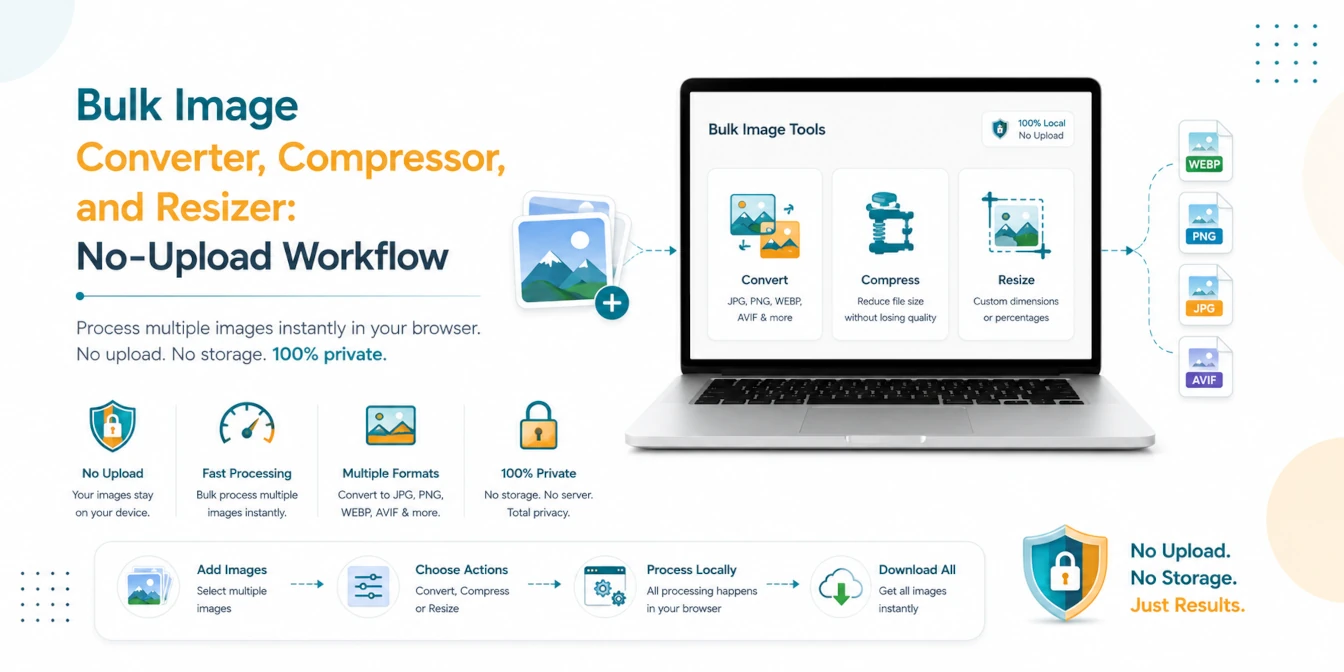
Bulk Image Converter, Compressor, and Resizer: No-Upload Workflow
A practical batch image workflow for converting, compressing, and resizing JPG, PNG, WebP, AVIF, and HEIC files locally in your browser.
Read Guide →