
Android 17 + AI Agents: What Google I/O 2026 Means for App Developers
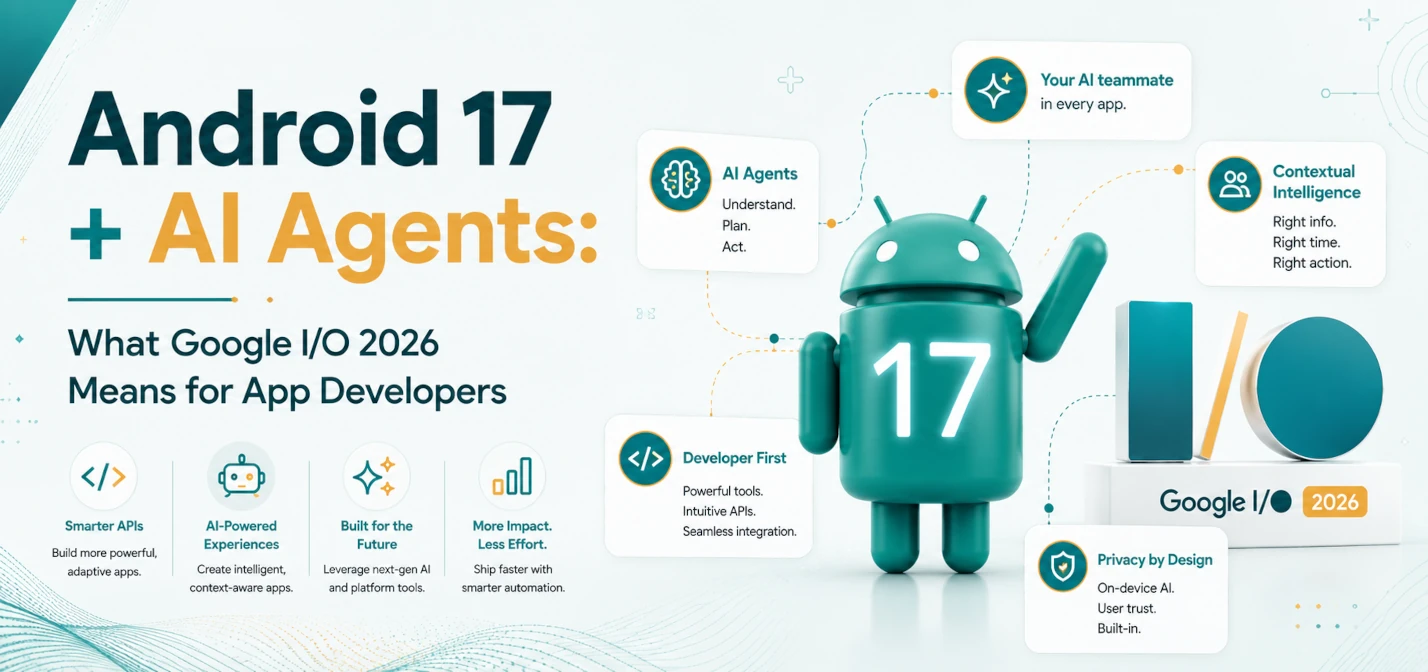
Google I/O 2026 did not simply add another yearly Android checklist. On May 19, 2026, Google connected three developer shifts that app teams now need to plan together: Android 17 raises the adaptive app baseline, Android Studio moves deeper into agentic development, and Android CLI 1.0 gives external AI coding agents Android-aware tools.
The practical message is clear: Android teams can no longer treat large screens, foldables, desktop-style Android surfaces, and AI-assisted development as side projects. They now affect release readiness, QA planning, app discovery, and the way teams write and review code.
Short answer
Google I/O 2026 made Android development more adaptive and more agent-assisted. Android 17 (API level 37) removes the large-screen opt-out for orientation and resizability restrictions when apps target the new API level. Android Studio adds agent skills, parallel Agent Mode conversations, model choice, local Gemma 4 support, performance analysis help, and Google Play testing flows. Android CLI is now stable at 1.0, giving tools such as Antigravity, Claude Code, and Codex Android-specific commands for analysis, Compose previews, dependency lookup, and user-journey testing.
Why this matters now
As of May 27, 2026, the Android developer roadmap is converging around adaptive-first app quality and agent-aware engineering workflows. Google says there are now more than 580 million large-screen Android devices in use, and its I/O materials frame adaptive development as both a product quality requirement and a business opportunity.
For production teams, the risk is not that one API changes overnight. The risk is slow drift: phone-only screens keep shipping, QA keeps testing the old matrix, and AI coding tools get adopted informally without review rules. Six months later, teams discover that their app feels weak on tablets, foldables, connected displays, and desktop-like Android devices while their code review process has no way to separate useful agent output from risky generated changes.
What Google actually announced at I/O 2026
The corrected reading is important. Android 17 itself was already part of the broader 2026 Android cycle, but I/O 2026 clarified what developers should do with it and how the tools around it are changing.
- Android 17 adaptive baseline: when targeting API level 37, apps must handle large-screen resizability and orientation behavior on devices with screen width above 600 dp instead of relying on the previous opt-out.
- Compose-first direction: Google positioned Jetpack Compose as the main path for modern Android UI guidance, including adaptive layouts, new layout primitives, Navigation 3 improvements, and input-aware UI behavior.
- Android Studio Agent Mode: Android Studio now supports agent skills, parallel conversations, Firebase setup from Agent Mode, a stronger New Project Agent, and AI-assisted bug and performance workflows.
- Android CLI 1.0: the command-line tool is stable and can expose Android Studio capabilities to external agents, including semantic symbol lookup, file analysis, Compose preview rendering, dependency version lookup, and Journey-based UI testing.
- Google AI Studio Android apps: developers can generate native Android apps from prompts, preview them in an embedded emulator, deploy to physical devices with ADB, export to Android Studio, and publish to a Google Play internal testing track.
- AI inside Android apps: AppFunctions, also described as Android MCP, is in experimental preview so apps can expose actions and data to on-device agents under developer control.
Android 17: the platform change app teams should not miss
The most concrete Android 17 item for mainstream app teams is adaptive behavior. Android 16 introduced major orientation and resizability changes with a temporary transition path. Android 17 raises the bar by removing the developer opt-out for large-screen orientation and resizability restrictions when apps target API level 37.
In plain language: if your app assumes a fixed phone portrait layout, that assumption becomes more expensive. Your screens need to survive resizing, landscape, split-screen, tablets, foldables, external displays, ChromeOS-style windows, and desktop-class Android environments. This is not a visual polish detail. It touches navigation, state handling, focus order, input method support, analytics, QA, and support tickets.
What adaptive-first means in practical terms
Adaptive-first does not mean every old screen must be rewritten immediately. It means every new or touched screen should be designed to adapt before it merges. The team standard should be simple enough to enforce in pull requests.
- Design for compact, medium, and expanded widths: avoid hard-coded phone-only assumptions in new screens.
- Prefer responsive panes over duplicated screens: use list-detail, supporting panes, and navigation rails where the product flow benefits from more space.
- Test orientation and resizing early: do not wait for final QA to discover layout collapse on tablets or foldables.
- Support non-touch input: keyboard, mouse, trackpad, stylus, and focus indicators need acceptance criteria on large screens.
- Keep state resilient: resizing and posture changes should not reset forms, media playback, checkout state, or in-progress work.
AI agents in Android Studio: useful, but not automatic trust
Google's I/O 2026 Android tooling story is not just autocomplete with better branding. The platform is moving toward agents that can plan, change code, run checks, inspect files, generate tests, and connect to Android-specific knowledge. That is useful, but only when teams decide what agents are allowed to touch.
High-value agent tasks include converting repetitive View patterns to Compose scaffolds, creating adaptive layout variants, generating test skeletons, explaining performance traces, looking up dependency versions, and drafting migration plans. Lower-value or high-risk tasks include changing authentication logic, rewriting payment flows, modifying privacy-sensitive storage, or accepting dependency upgrades without human review.
Android CLI 1.0 changes the external-agent workflow
Android CLI reaching stable 1.0 matters because many teams do not use only one IDE assistant. Some developers work with Antigravity, Claude Code, Codex, terminal workflows, or internal agents. Generic agents often struggle with Android because they lack project-specific semantic understanding, Compose preview feedback, dependency context, and emulator-aware testing loops.
Android CLI is designed to bridge that gap. With the latest Android Studio preview open alongside a project, agents can use Android CLI commands to analyze files, find declarations, render Compose previews, open files in Android Studio, check dependency versions, and run Journey-style user flows. That makes agent output easier to verify because it can be grounded in Android tooling instead of free-form guessing.
Google AI Studio is now part of the Android prototype path
Google AI Studio also gained native Android app creation capabilities at I/O. This is most useful for prototypes, internal demos, proof-of-concept flows, and fast idea validation. A prompt can produce a native Android starting point, the browser-based emulator can preview it, and the result can move into Android Studio for serious debugging and polish.
The boundary matters. AI Studio can speed up the first mile, but production readiness still depends on code ownership, accessibility checks, device testing, app signing, Play policy review, security review, crash monitoring, and maintainable architecture.
AppFunctions and Android MCP: prepare, but treat as experimental
Google's AI-on-Android updates also emphasized AppFunctions, described as Android MCP. The idea is powerful: an app can expose actions, services, and data in a structured way so system agents can help users complete tasks. The developer value is control. Instead of hoping an agent clicks through UI correctly, the app can define safer, clearer functions.
Because AppFunctions is still in experimental preview, production teams should start with discovery and prototypes. Identify which app actions could become safe agent-facing functions, define permissions clearly, and test with non-sensitive flows before exposing anything with account, payment, health, location, or private business data.
Step-by-step workflow for app teams
Use this plan if you maintain an existing Android app and need a practical response to Google I/O 2026 without turning the roadmap upside down.
Week 1: Audit the app surface
- List your top 30 screens by traffic, revenue, retention, or support impact.
- Mark each screen as adaptive-ready, partially adaptive, or phone-locked.
- Record layout failures across phone portrait, phone landscape, tablet, foldable, split-screen, and keyboard input.
- Document which modules still depend heavily on legacy Views or fragile orientation assumptions.
Week 2: Define AI and agent governance
- Create a short policy for what agents can change without extra approval.
- Ban secrets, production tokens, private user data, and unreleased business data from prompts.
- Require human review for dependency changes, security code, payment code, and account flows.
- Add an AI-assisted note to pull requests when agent output materially shaped the patch.
Week 3: Run one controlled migration
- Choose three high-impact screens with manageable complexity.
- Use agents for scaffolding, repetitive refactors, test drafts, and Compose preview iteration.
- Keep architecture decisions and business rules human-owned.
- Measure review time, QA defects, layout regressions, and rollback risk.
Week 4: Turn the pilot into a standard
- Publish reusable adaptive components and review checklists.
- Add device and input coverage to your release checklist.
- Decide where Android CLI, Android Studio Agent Mode, and AI Studio fit in your team workflow.
- Move the next batch of priority screens into the migration queue.
Production-safe AI coding policy
A short policy is better than a long document nobody reads. Start with something this direct:
Android AI Coding Policy v1
1. Do not paste secrets, user data, production logs, or private tokens into AI tools.
2. Agent-generated code must pass the same review, lint, tests, and security checks as human-written code.
3. Dependency upgrades require explicit reviewer approval.
4. Authentication, payment, encryption, storage, and privacy-sensitive changes require senior review.
5. Large refactors need an issue, test plan, rollback plan, and PR note.
6. Each AI-assisted PR must state the scope of assistance and the model/tool category used.
Examples
1. Commerce checkout on tablets
Input scenario: a checkout flow works on phone portrait but breaks in landscape and split-screen tablet mode.
Workflow: use an agent to draft a list-detail or two-pane Compose scaffold, then manually review state handling, validation, and payment boundaries.
Output scenario: the checkout keeps cart, address, and payment state stable while resizing and supports keyboard focus for desktop-style use.
2. Field-service app with stylus and keyboard users
Input scenario: technicians use tablets in the field, but the app assumes finger-only interaction and small controls.
Workflow: create acceptance tests for focus rings, pointer targets, trackpad actions, and form navigation before migrating the screen.
Output scenario: task completion improves because users can navigate forms with keyboard, stylus, and touch without accidental resets.
3. Legacy Android app moving from Views to Compose
Input scenario: the team has many repeated XML patterns and slow manual migration.
Workflow: use Android skills or Android CLI-aware agents for repetitive scaffolding, then keep domain logic and architecture review with senior engineers.
Output scenario: migration velocity improves without letting generated code silently reshape the app's core model.
Common mistakes
- Calling Android 17 only a UI update: adaptive behavior also changes QA, analytics, accessibility, and support.
- Confusing prototype speed with production readiness: AI Studio output still needs Android Studio debugging, testing, signing, and policy review.
- Letting agents rewrite too much at once: large unbounded patches are hard to review and easy to roll back.
- Skipping non-touch input: large-screen support is incomplete if keyboard, mouse, trackpad, stylus, and focus states are ignored.
- Using cloud models without data rules: teams need prompt hygiene before sensitive code or logs enter any AI tool.
- Assuming AppFunctions are ready for every app flow: experimental preview features should start with low-risk prototypes.
Validation checklist
- Adaptive coverage: top screens tested across compact, medium, and expanded widths.
- Orientation readiness: no critical screen depends on forced portrait unless a product owner has approved the exception.
- Input readiness: keyboard, mouse, trackpad, stylus, and accessibility focus states checked on high-value flows.
- Agent governance: PR template includes AI-assistance disclosure and reviewer gates for risky code.
- Testing loop: Journey-style flows, Compose previews, unit tests, and manual QA all map to the same release risks.
- Release health: crash rate, hotfix count, layout bugs, and support tickets are reviewed after each adaptive migration.
KPI dashboard for Android 17 and agent adoption
Leadership needs measurable signals, not only a list of new tools. Track these weekly during the transition:
- Adaptive-ready screen percentage: top screens that pass the new device and input matrix.
- AI-assisted pull request success: merged AI-assisted PRs that pass review without major rework.
- Regression density: layout, input, and state bugs found after adaptive changes.
- Review latency: time from PR open to merge for agent-assisted migrations versus manual migrations.
- Rollback rate: number of releases reverted or hotfixed because of adaptive or agent-generated changes.
TryFormatter tools for Android and API workflows
Useful browser tools for app teams
References
- 17 Things to know for Android developers at Google I/O (Android Developers Blog, May 19, 2026)
- Android Studio I/O Edition: what's new in Android developer tools (Android Developers Blog, May 19, 2026)
- Adaptive development for the expanding Android ecosystem (Android Developers Blog, May 19, 2026)
- Android CLI Now Stable 1.0: Accelerate developing for Android using any agent (Android Developers Blog, May 19, 2026)
- Top AI on Android updates for building intelligent experiences from Google I/O '26 (Android Developers Blog, May 26, 2026)
Frequently asked questions
Not exactly. Android 17 was already part of the 2026 Android release cycle. Google I/O 2026 clarified the developer impact, especially adaptive app expectations, API level 37 targeting behavior, Android Studio tooling, Android CLI 1.0, and AI-assisted workflows.
No. Start with the highest-value screens, make every new screen adaptive by default, and migrate legacy screens in batches. A measured rollout is safer than a full rewrite.
No. Agents can reduce repetitive work and help with scaffolding, tests, previews, and analysis. Senior engineers still own architecture, risk decisions, security review, and production accountability.
Use a task-based policy. Local models are better for confidential or offline work. Cloud models may help with broader reasoning and large migrations. Most production teams should use a hybrid approach with explicit data rules.
AppFunctions is in experimental preview, so teams should prototype carefully and start with low-risk actions. Do not expose sensitive account, payment, health, location, or private business workflows without strong permission and review controls.
Conclusion
Google I/O 2026 makes one thing hard to ignore: Android app quality is expanding beyond phone screens, and Android development workflows are expanding beyond manual IDE work. The teams that benefit most will not be the ones that blindly adopt every demo. They will be the teams that define adaptive standards, add agent governance, run controlled migrations, and measure production outcomes.
Start this week with three moves: audit your top screens for adaptive readiness, create a short AI coding policy, and run one contained migration using Android Studio, Android CLI, or AI Studio where each generated change is reviewed like production code. That is the practical path from I/O announcement to safer Android releases.